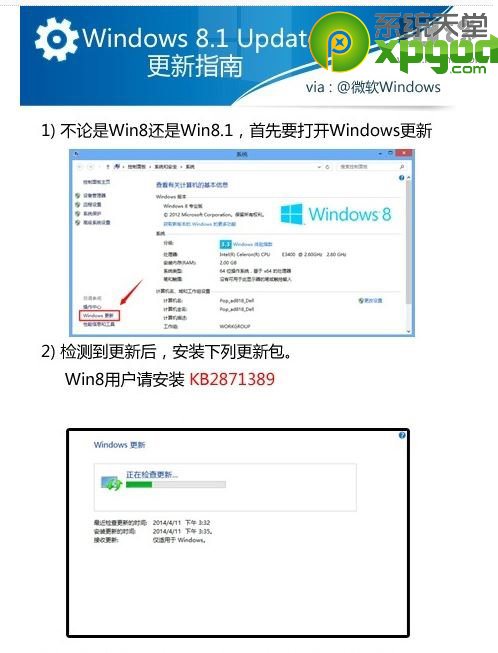
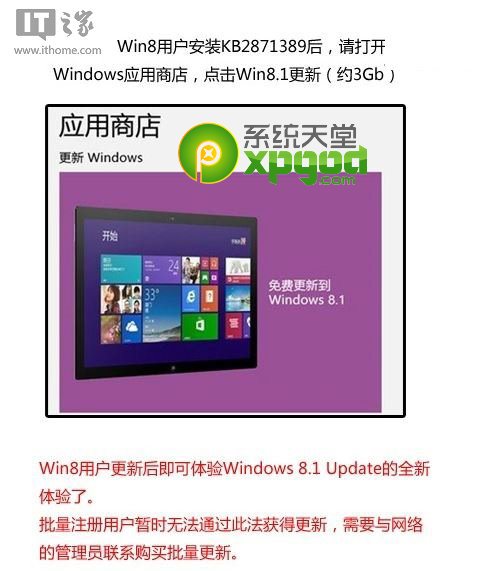
已是 Win8.1 用戶,升級 Update 步驟:
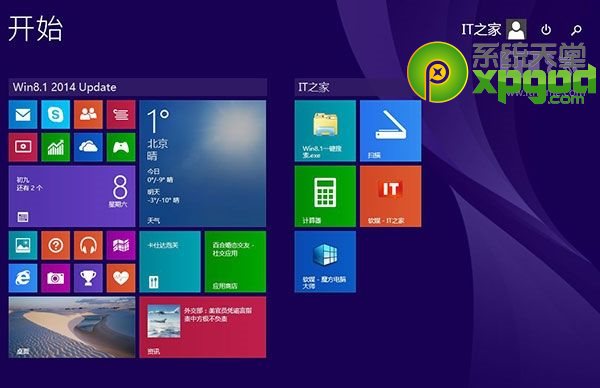
完成即為 Win8.1 Update 正式版。
Win8.1 網路受限/無法上網?關閉網卡省電選項恢復連線
Win8 滑鼠雙擊速度太快/太慢?5 步調整到最舒適手感
Win 8 調整游標閃爍速度適應個人閱讀習慣
Win 8.1 專業版啟用密鑰大全與 CMD 指令啟用教學
Win 8/8.1 移除開機登入畫面「其他使用者」選項的 netplwiz 設定法
Windows 8 實體安裝全紀錄:NE6 HDD 法與 USB 開機安裝、啟用與必裝軟體清單
Win8 輸入法圖示消失?任務列通知區域圖示設定恢復法
Windows 8 設定無線路由器教學