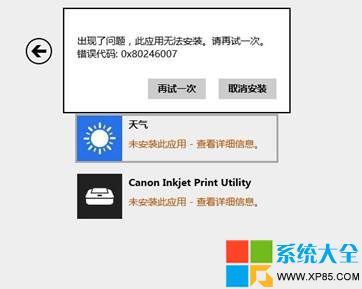
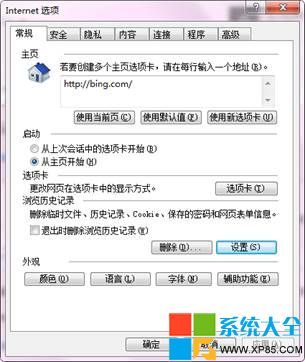
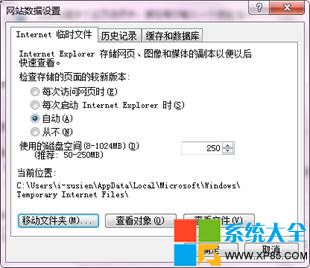
Win8.1 應用商店安裝、更新應用時彈出 0X80246007,主因通常是 Internet Explorer 11 的暫存資料夾路徑異常。將暫存資料夾移回 C 槽預設路徑即可修復。
0X80246007
C:\Users\您的帳號\AppData\Local\Microsoft\Windows\INetCache
此問題常見於將暫存資料夾自訂至非系統槽或網路磁碟的情況。
Win8.1 手動建立系統還原點完整圖文教學
Win8.1 撥號上網後自動開啟 Bing 網頁?兩種方法關閉網路連線狀態指示器
Win8 一鍵還原資源回收筒所有檔案:Ribbon 功能區「管理」標籤操作
Windows 8 使用者名稱、Microsoft ID、管理員帳戶、電腦名稱四大身分識別詳細解析
Windows 8 螢幕保護程式完整設定教學:啟用、更換、關閉與自訂相簿
Windows 8 安裝 TP(觸控板)驅動:進入進階啟動停用驅動簽名強制
Windows 8 實用小技巧 7 選:關機、關閉 Metro 應用、多工切換、搜尋、Charms 列、輸入法調整、開始畫面整理
Windows 8 郵件應用設定全攻略:輕鬆管理多信箱