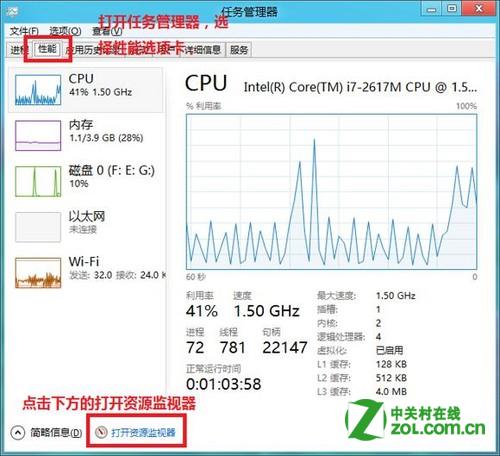
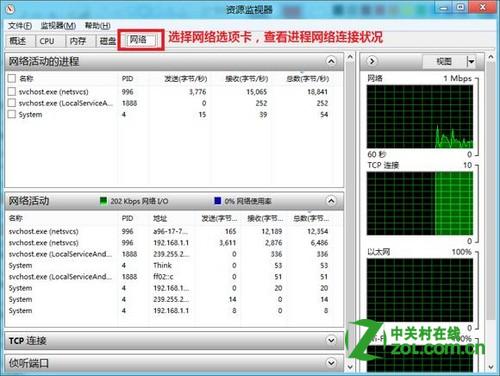
Windows 8 內建資源監視器可即時檢視各程序網路連線狀態 (連線位址、傳輸速率、封包數),排查網路異常利器。
可依程序名稱、遠端位址、傳輸量快速鎖定佔用頻寬或可疑連線的程式。
Win8 設定自動登入,跳過密碼輸入直接進桌面
Win8 無聲音三大排查法:裝置、服務、登錄表完整解決
Windows 8 透過工作管理員查看網路連線狀態與頻寬使用
Windows 8 調整虛擬記憶體大小,釋放實體記憶體壓力
Windows 8/8.1 關閉鎖定畫面兩種方法:登錄編輯與群組原則
Windows 8 刪除所有系統還原點釋放磁碟空間教學
Win8 關機提示「磁碟機中沒有磁碟」?停用空白磁碟機裝置解決
Win8 開機跳過開始畫面直接進入傳統桌面:Skip Metro Suite 詳細教學