Windows 8 移除傳統開始選單,改為 Modern 開始畫面,讓許多桌面使用者不適應。可透過 360 安全衛士內建的「軟體小幫手」快速獲得類 Win 7 風格的開始選單,無需安裝獨立軟體。
原生 Modern 開始畫面操作
- 滑鼠移至左下角 → 出現開始畫面縮圖 → 左鍵進入 Modern 介面。
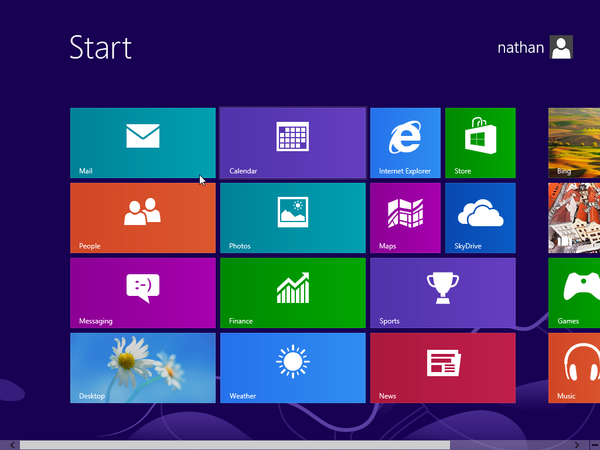
- Win 鍵快速切換桌面與開始畫面。
- Modern 介面中有「桌面」磚可返回傳統桌面。
用 360 軟體小幫手啟用類 Win 7 開始選單
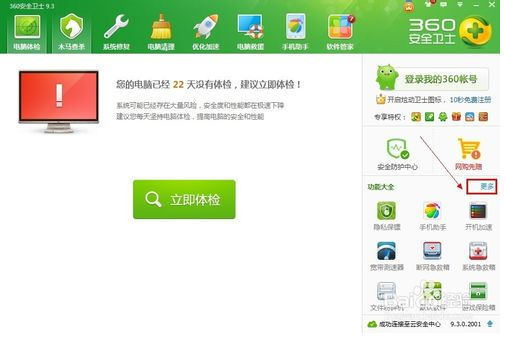
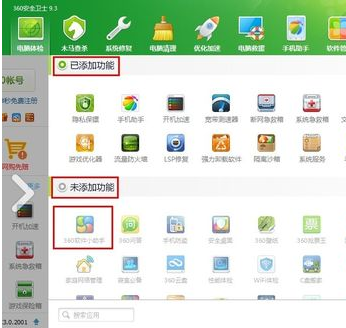
- 安裝/開啟 360 安全衛士 → 右側「更多」→ 找到「360 軟體小幫手」(未添加則在「未添加功能」中雙擊添加)。
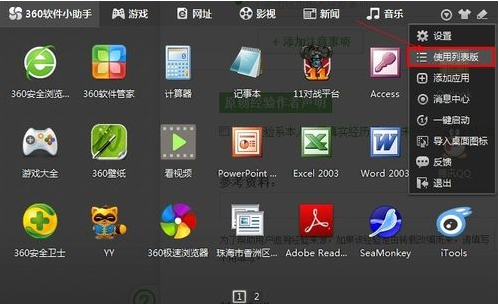
- 開啟「360 軟體小幫手」→ 右上角下拉選單選「使用列表版」。
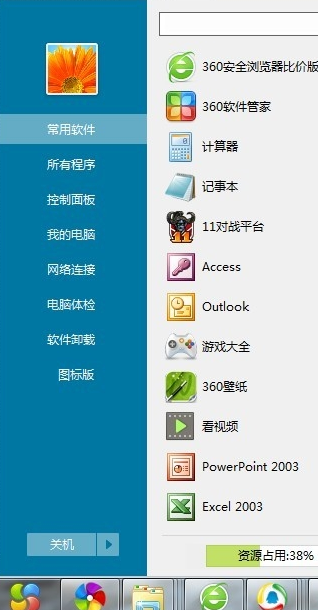
- 螢幕右下角即出現類 Windows 7 風格的開始選單,含所有程式、控制台、關機等常用項目。
其他知名替代方案:Start8(付費)、Classic Shell(開源免費)、StartIsBack(付費),功能更豐富可高度客製化。