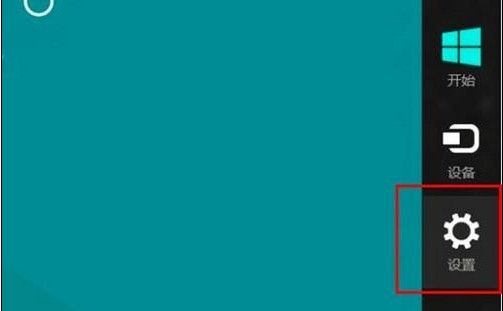
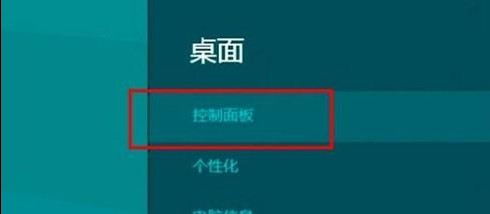
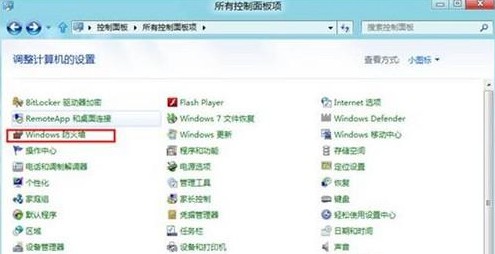
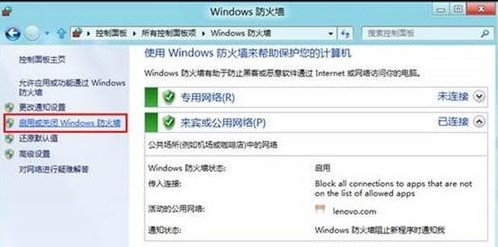
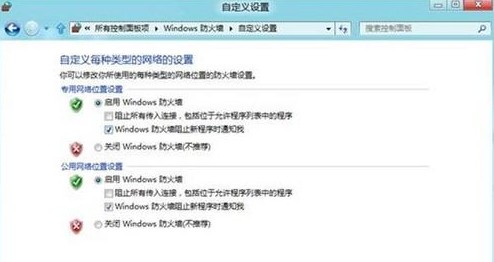
Windows 防火牆可針對「私人網路」(家用/公司)與「公用網路」分別啟用或關閉。
Windows 8 視窗透明化效果啟用教學:高對比度主題切換技巧
Win8 禁用 IE10 關閉多個分頁警告:網際網路選項取消勾選關閉警告
Windows 8 印表機共享完整設定教學:主機端與用戶端步驟詳解
Win8 查看 Windows Update 修補程式安裝歷程記錄教學
Win8 每次聯網自動彈出 Bing 網頁怎麼辦?
Win8 如何調整系統文字大小?自訂 DPI 縮放設定
Windows 8 無法上網雙招破解:驅動獲取與乾淨重裝
Win8 內建「影音播放」應用程式怎麼用?支援 WMV 格式基本播放