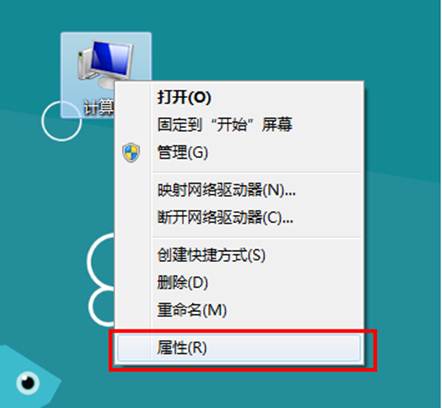
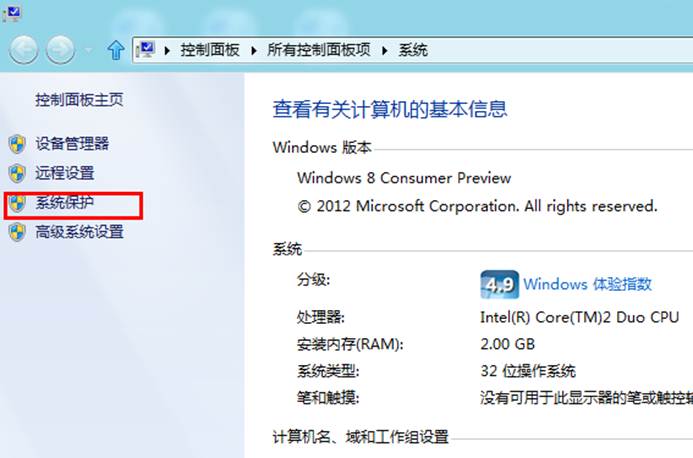
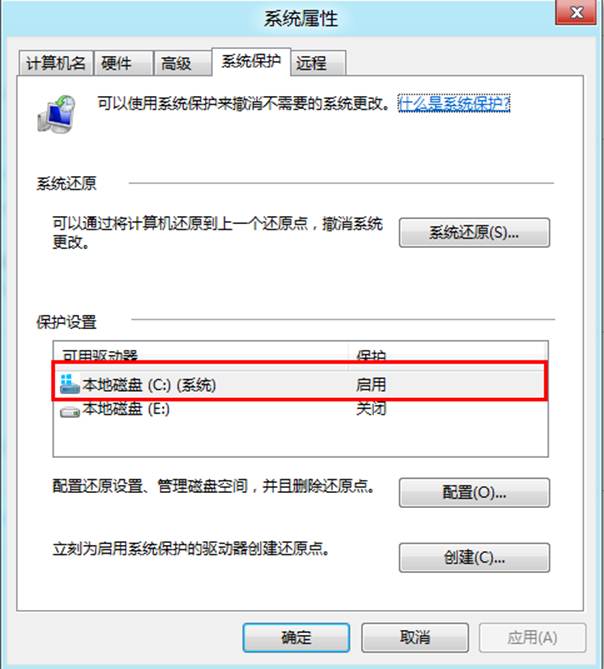
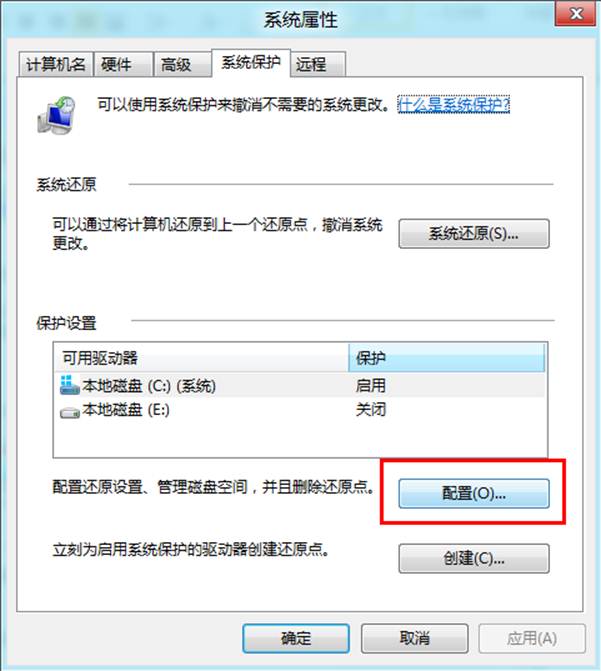
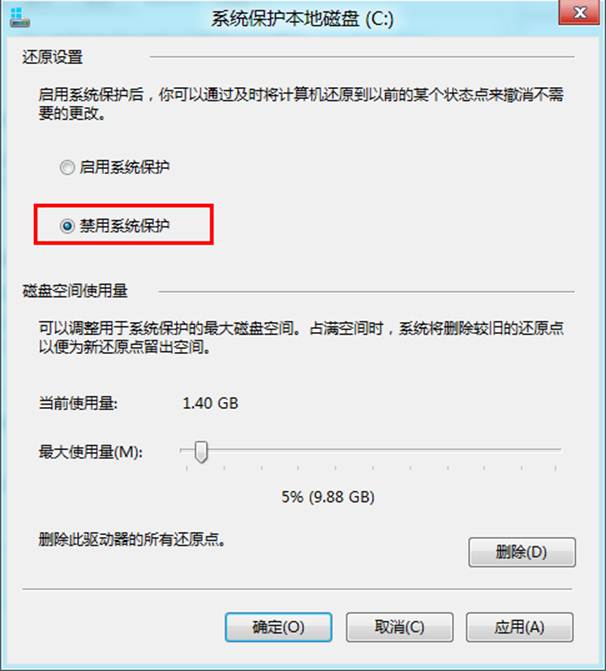
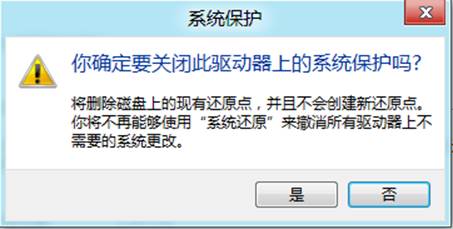
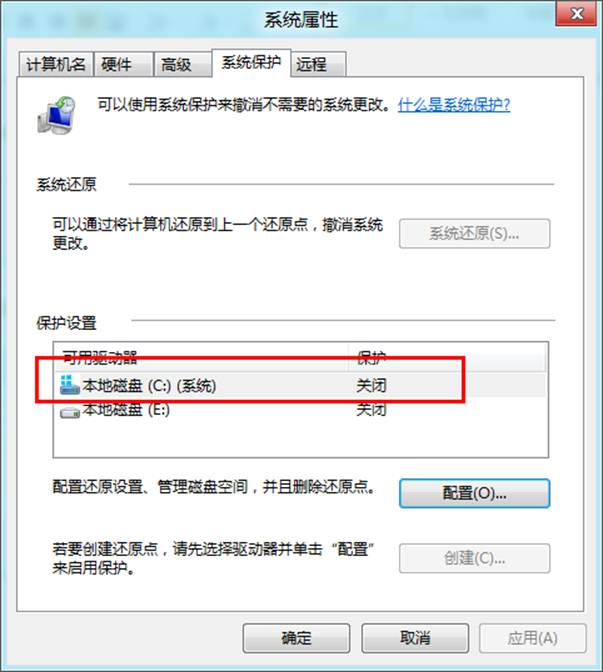
系統保護會佔用磁碟空間儲存還原點,若磁碟空間緊張可針對特定磁碟機關閉此功能。
注意: 關閉系統保護將無法使用系統還原與檔案版本復原功能,建議在建立完整系統備份後再執行。
Win8 執行程式出現 0xC0000005 錯誤?相容模式執行快速修復
Windows 8.1 更新後 VirtualBox 虛擬機無法啟動?移除 KB3045999 更新
Windows 8 網路與共享中心完整圖文教學
Win8 系統首次啟動黑畫面硬碟燈不亮解決方法 (重複 80538 內容)
Windows 8 相機應用無法開啟?權限設定一鍵修復
Win8 設定預設輸入法:語言偏好設定指定微軟注音/倉頡為預設
Windows 8 應用商店下載錯誤 0x80200024/0x80080206/0x80080207 解決:官方疑難解答 + WSReset 雙管齊下
Windows 8 還原防火牆預設設定:控制台一鍵重置所有規則