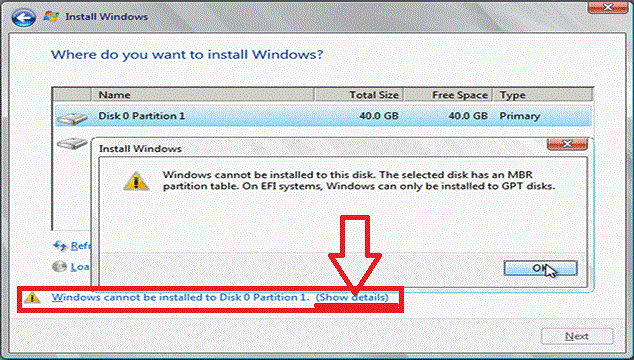
UEFI 模式開機安裝 Win8.1 時,若磁碟為 MBR 分區表,會報錯:
Windows cannot be installed to this disk. The selected disk has an MBR partition table. On EFI systems, Windows can only be installed to GPT disks.
diskpart → list disk → select disk 0 (目標磁碟) → clean (清除所有分區,**資料全失**) → convert gpt → exit。
警告: clean 會清空整顆硬碟資料,操作前務必完整備份重要檔案。若需保留資料,請改用第三方工具 (如 MiniTool Partition Wizard) 無損轉換 MBR→GPT。