Windows 8 使用者瀏覽網頁時若出現「錯誤 118 (net::ERR_CONNECTION_TIMED_OUT)」,通常是 DNS 快取汙染或 TCP/IP 協定堆疊異常所致。本文提供透過命令提示字元快速修復的標準流程。
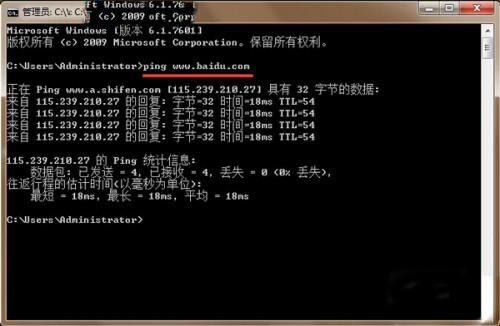
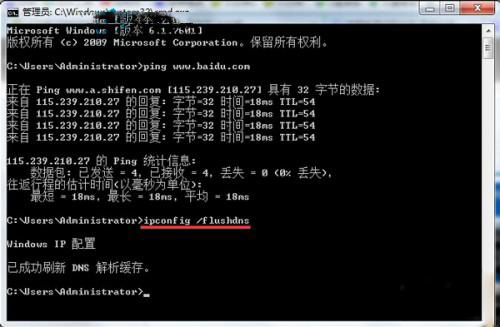
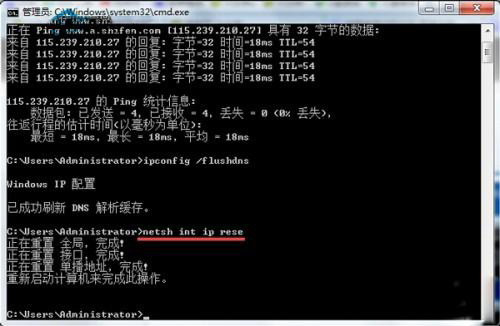
cmd → 按 Ctrl+Shift+Enter 以系統管理員身分開啟命令提示字元。ping www.google.com(或任意可用網域)ipconfig /flushdnsnetsh int ip resetnetsh int ip reset。netsh winsock reset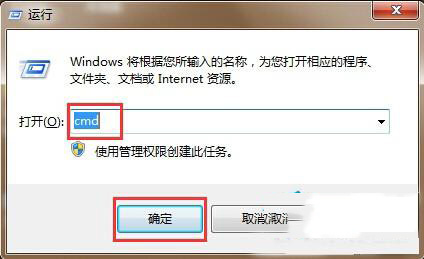
若問題持續,請檢查: