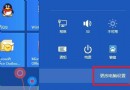
Win8 應用商店下載應用出現錯誤 0x80240437,代表 Windows Update 元件快取損毀或服務狀態異常。重置軟體發佈快取資料夾即可修復。
services.msc → 找到「Windows Update」→ 右鍵「停止」。C:\Windows\SoftwareDistribution → 將 SoftwareDistribution 資料夾重新命名為 SoftwareDistribution.old。SoftwareDistribution 資料夾)。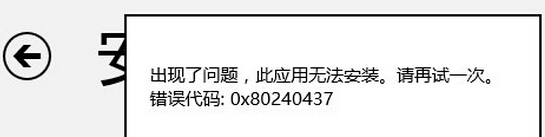
SoftwareDistribution 為 Windows Update 下載快取與元件存放目錄。檔案損毀、版本衝突、寫入中斷會導致應用商店 (同樣依賴 WU 基礎設施) 無法驗證/安裝套件。重命名強制重建可徹底清除殘留錯誤狀態。
wsreset.exe 重置應用商店本身快取。Get-AppXPackage -AllUsers | Foreach {Add-AppxPackage -DisableDevelopmentMode -Register "$($_.InstallLocation)\AppXManifest.xml"} 重新註冊所有現代應用。重置 SoftwareDistribution 快取,一招解決應用商店 0x80240437 錯誤。