Win8 瀏覽網頁頻繁彈出「Flash Player ActionScript 錯誤」視窗,近期若有安裝 Windows Update,極大機率是補丁 KB3087916 導致 Flash Player 元件異常。
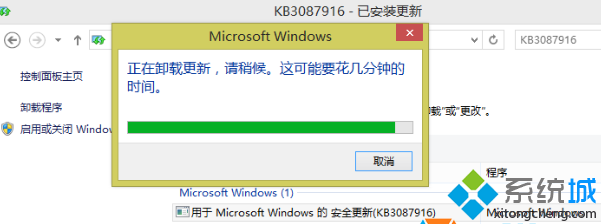
方法一:卸載問題補丁(Win8 專用)
- 按 Win+X 開啟「控制台」。
- 「系統與安全性」→「Windows Update」→「檢視更新歷程記錄」→「已安裝的更新」。
- 找到 KB3087916,右鍵「解除安裝」。
方法二:重新安裝 Flash Player(Win7/通用)
- 控制台 → 「程式和功能」找到 Adobe Flash Player,解除安裝。
- 至 Adobe 官網下載最新版 Flash Player 重新安裝。
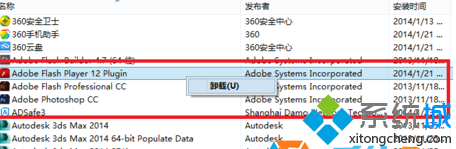
Win8 使用者優先嘗試方法一(卸載 KB3087916),通常能立即解決。若無效或為 Win7 系統,執行方法二重裝 Flash Player。兩法皆無效則建議重灌系統。