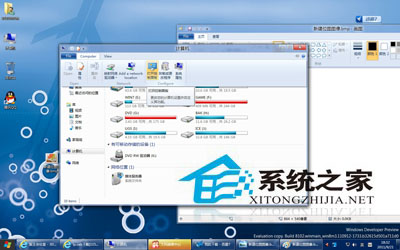
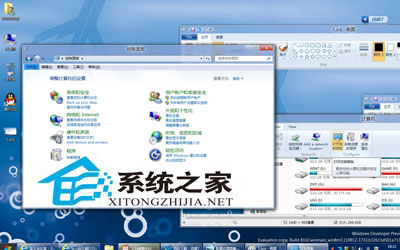
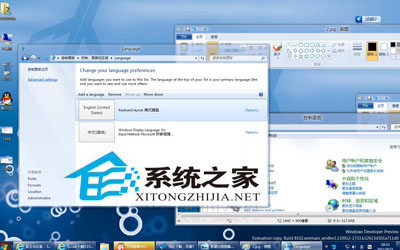
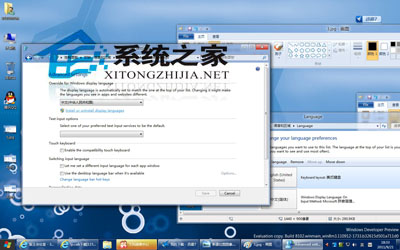
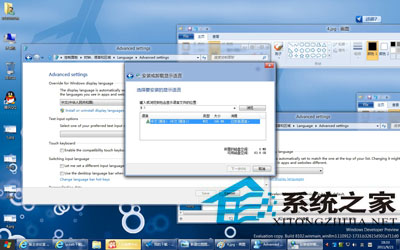
Windows 8 開發者預覽版 x86 中文語言包 (漢化包) 安裝方法:控制台 → 時鐘、語言和地區 → 安裝或解除安裝顯示語言 → 安裝語言 → 選擇 lp.cab 所在目錄 → 下一步 → 完成。該漢化包推測源自 Win7 語言包修改,漢化不完全但無覆蓋式修改的各類 Bug。
lp.cab
Win8 Windows 鍵在哪?Win 鍵 20 組必學快速鍵一次掌握
Win8 無法存取 WindowsApps 資料夾?取得完整權限完整圖文教學
Windows 8 判斷系統是否已啟用的兩種方法
Win8 禁用 Win 鍵防遊戲誤觸:註冊表 Scancode Map 徹底屏蔽、群組原則僅屏蔽熱鍵雙模式
Windows 8.1 將「電腦」更名為「此電腦」介面變化前瞻
Win8.1 任務列圖示中間出現大空隙?三步排除法快速修復
Win8 設定 IE 暫存檔案儲存空間:控制磁碟佔用避免 C 槽爆滿
Windows 8 IE10 快顯視窗封鎖管理:設定封鎖等級與例外網站