Windows XP Windows 7 Windows 2003 Windows Vista Windows 綜合教學 Linux 系統教學
Windows 10 Windows 8 Windows 2008 Windows NT Windows Server 電腦軟體教學

Win8 應用程式商店卡在「載入中」?wsreset、Winsock 重置、DNS 變更、sfc 掃描四步驟修復

編輯:Win8 系統應用技巧

Windows 8 應用程式商店啟動後長時間停留在「載入中」(綠底 Logo 畫面),無法進入主介面。首發通常為網路延遲或暫時故障,重開機多可自癒;若持續發生,依照以下四步驟遞進修復。
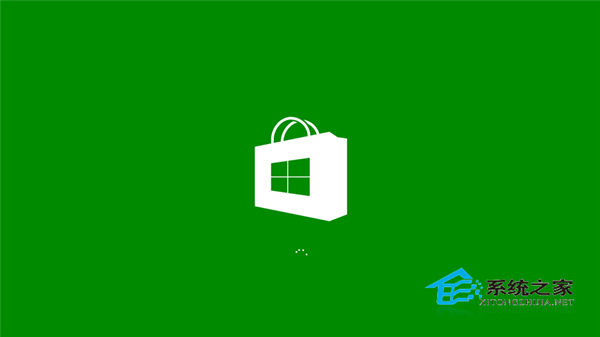
應用程式商店載入中

修復流程(按順序嘗試,每步完成後測試)

1. 重設商店快取

  1. Win+R → wsreset → Enter。
  2. 等待命令視窗自動關閉並啟動商店。

2. 重置 Winsock 目錄

  1. Win+X → 「命令提示字元 (系統管理員)」。
  2. netsh winsock reset → Enter → 重開機。

3. 變更 DNS 伺服器(排除 ISP DNS 污染/封鎖)

  1. 控制台 → 「網路和網際網路」→ 「網路和共用中心」→ 「變更介面卡設定」。
  2. 右鍵當前連線 → 「內容」→ 「網際網路通訊協定第 4 版 (TCP/IPv4)」→ 「內容」。
  3. 選「使用下列 DNS 伺服器位址」:
    慣用:4.2.2.1(Level 3)
    備用:4.2.2.2
  4. 「確定」套用,重新啟動商店。

4. 系統檔案完整性掃描

  1. Win+X → 「命令提示字元 (系統管理員)」。
  2. sfc /scannow → Enter,等待掃描修復完成(可能需數分鐘)。
  3. 重開機測試。

補充建議

  • 關閉防毒軟體即時掃描、防火牆、VPN、Proxy 工具後測試。
  • 確認系統日期/時間正確(錯誤時間會導致 SSL 憑證驗證失敗,商店無法連線)。
  • 若為企業環境,檢查群組原則是否封鎖 Windows Store(Computer Configuration\Administrative Templates\Windows Components\Store\Turn off the Store application)。

結語

Win8 應用程式商店卡在載入中,90% 為快取/網路/系統檔案問題。依序執行 wsreset → netsh winsock reset → 變更 DNS → sfc /scannow,可解決絕大多數案例。若仍失效,考慮就地升級修復或重建使用者設定檔。

Copyright © Windows教程網 All Rights Reserved