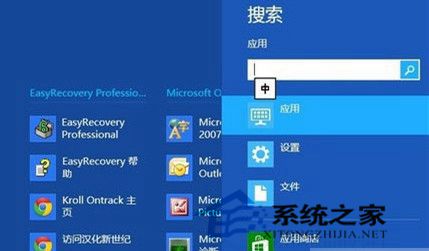
Win8 五大超級按鈕之一「搜尋」採用 Bing 智慧搜尋,單次查詢整合本機、網路、OneDrive、應用、應用商店結果,無需重複搜尋即可返回結果頁。
搜尋超級按鈕提供統一進入點,跨源搜尋體驗流暢,適合快速尋找檔案、啟動應用、查詢資訊。
Win 8.1 更新/刪除帳號後 IE11 無法啟動?註冊表權限修復法
Windows 8.1 Update 卸載降級回 Win8.1:移除 KB2919355 與 KB2919442
Windows 8 自訂電源按鈕動作(關機/睡眠/休眠/無動作)
Windows 8 PPTP/L2TP VPN 設定完整圖文教學:10 步驟建立公司/學校遠端連線
Win8一鍵清理垃圾檔案 釋放磁碟空間完整教學
Win 8 徹底關閉 UAC 警告的代價:Metro 應用將無法啟動
Windows 8 開機自動登入免輸入密碼:control userpasswords2 取消帳號密碼要求
Windows 8 計算機程式原始路徑與快速啟動方式