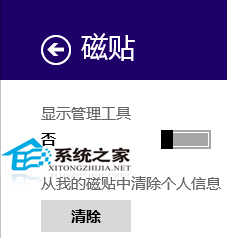
動態磚預設顯示個人資訊,擔心隱私外洩?Charms 列快速清除:
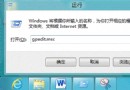
群組原則可設定自動清除,但操作較繁;手動清除適合臨時需求(如借用電腦時),簡單有效。
Windows 8 計算機程式原始路徑與快速啟動方式
Windows 8 應用商店錯誤 0x80240437 解決方案:重置軟件分發目錄
Win8.1 電源計畫設定平衡節能與效能:選擇平衡/高效能/省電模式與進階參數調整
Win8.1 玩大型遊戲卡頓/卡屏?顯卡驅動更新全流程
Win8 檔案歷程記錄啟用與還原檔案完整教學
Win8 解除印表機離線狀態教程:控制台「檢視正在列印」取消勾選離線使用
Win8.1 手動建立系統還原點完整圖文教學
安裝 Win8 64 位元系統最低配備需求:CPU 1GHz、RAM 2GB、硬碟 20GB、DirectX 9 顯卡