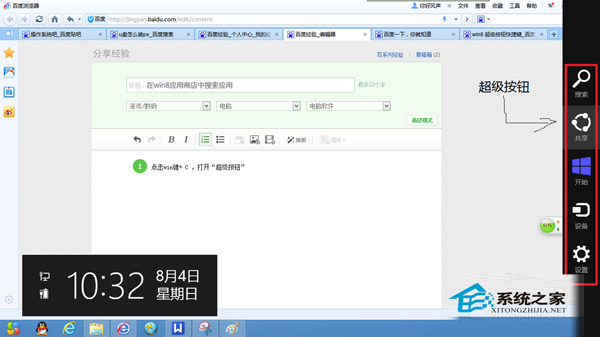
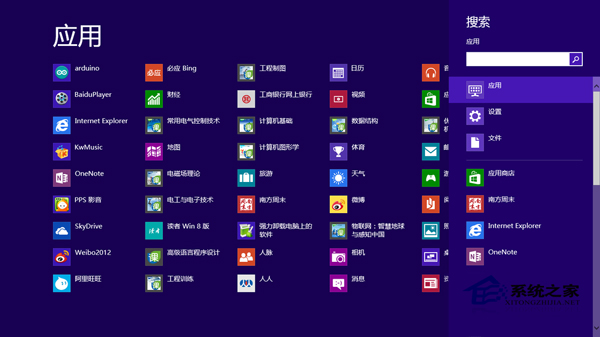
Windows 8 全域搜尋(Win+Q)範圍過廣,若僅想在應用程式商店內搜尋應用,需在商店內喚出 Charms 搜尋。
此為 Modern 應用共同特性:在應用內喚出 Charms 搜尋,範圍限定於該應用內容。
Win8 應用程式商店不見了?兩招快速找回教學
Windows 8 使用 360 安全衛士恢復開始選單快速開啟控制台
Windows 8 找回開始選單:Stardock Start8 免費工具一鍵恢復傳統體驗,支援自訂圖示、執行/關機右鍵選單
Win8 無線網卡指示燈亮卻搜尋不到訊號?啟用 WLAN AutoConfig 服務修復
Windows 8 影音播放軟體相容性測試:暴風影音、QQ影音、百度影音、RealPlayer、KMPlayer、快播全過關
Win8.1 移除家庭群組功能完整步驟(重複內容整理版)
如何找回 Win8 開始畫面 IE10 圖示?搜尋釘選法與預設瀏覽器關係
Windows 8.1 系統熱備份與自訂復原映像:recimg 指令建立含應用程式的還原基準