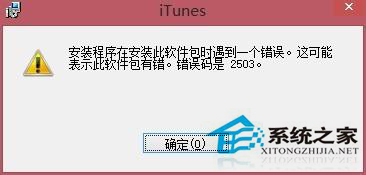
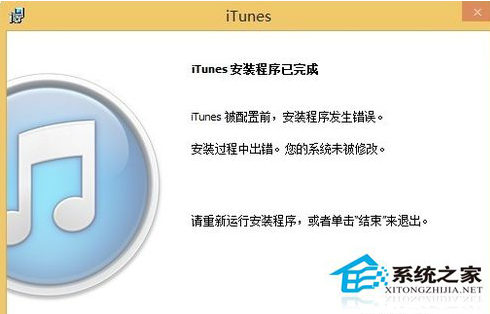
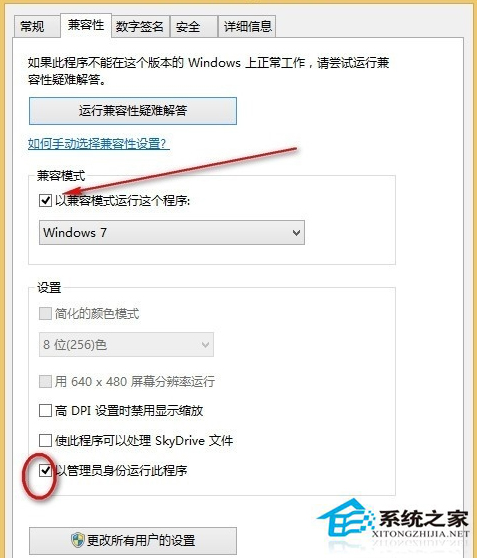
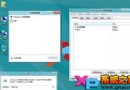
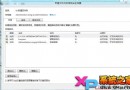
Windows 8 安裝 iTunes 進度條跑不完、反覆重複安裝失敗,通常是安裝程式相容性問題。以 Windows 7 相容模式並以系統管理員身分執行安裝程式即可解決。
iTunesSetup.exe
iTunes64Setup.exe
補充建議:安裝前請先解除安裝所有 Apple 相關程式 (iTunes、Bonjour、Apple Application Support 等),並確認下載的安裝檔位元版本 (32/64 位元) 與系統相符。
Win8 如何查看已連接 Wi-Fi 密碼?無線網路內容顯示字元兩種方法
Win8.1 磁碟分區右鍵「新增」選單空白?桌面卻正常的解決方向
Windows 8.1 預覽版簡體中文版下載連結與安裝需求總整理
Win8.1 設定 APP 通知免打擾時段:電腦設定→搜尋與應用→通知→安靜時段
Win8 圖片密碼登入設定:電腦設定 → 使用者 → 建立圖片密碼 → 選相片 → 畫三個手勢(點擊/直線/圓)
更新 Win8.1 過程出現黑畫面怎麼辦?顯卡驅動不相容進安全模式解決
Win8 硬碟讀寫頻率過高?停用 HomeGroup 服務降低磁碟負載
Windows 8 設定 VPN 連線屬性教學