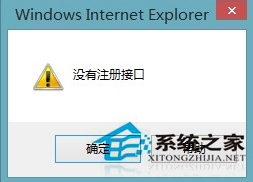
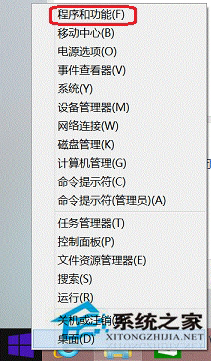
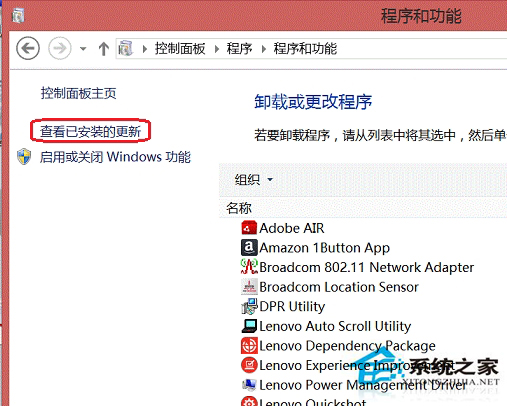
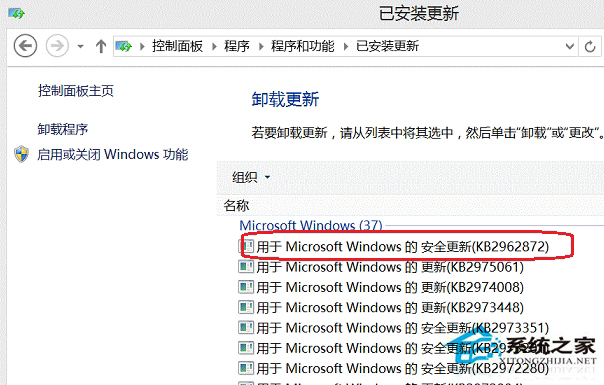
IE 另存圖片出現「沒有註冊介面」錯誤,經確認為 Windows Update KB2961851 導致,移除該更新即可恢復正常。
KB2961851
若不願移除更新,可暫時改用其他瀏覽器下載圖片,或等待微軟後續修正補丁。
Win8 關閉遠端桌面防駭客入侵:控制台 → 系統 → 遠端設定 → 不允許遠端連線
Win8 如何快速關閉桌面超級按鈕 (Charms 列)?任務列導航取消「指向右上角顯示超級按鈕」
Win8 解決 QQ 彈出訊息導致影片音樂音量變小問題
Windows 8 內建微軟拼音無法刪除?新增英文語言降權後即可移除
Win 8 優化磁碟機效能完整指南:自動排程、手動操作與進階設定
Win8 鎖定畫面通知設定:指定 App 顯示快速狀態、詳細狀態,隱私與便利平衡
如何將 Windows 8.1 降級回 Win8?解除安裝 KB2871389 與 KB2917499 更新
Windows 8 關機後自動重啟?關閉「快速啟動」與裝置喚醒權限解決