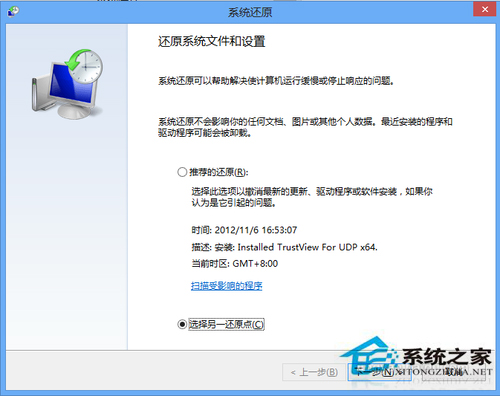
Win8 系統還原程式 rstrui.exe 位於 C:\Windows\System32\Restore\,有多種開啟管道。
rstrui.exe
C:\Windows\System32\Restore\
C:\Windows\System32\Restore\rstrui.exe
rstrui
msconfig
方法四為最直觀常用入口。控制台「復原」中亦可存取。
Windows 8 IE 設定在新分頁開啟視窗與連結完整教學
Windows 8 淘寶網官方客戶端體驗:雜誌式購物新介面
Windows 8 鍵盤快捷鍵大全 (RTM 版):Win 鍵 16 組、傳統熱鍵、適用雙介面完整表
Windows 8 「資料庫」常見問題解答:建立、刪除、包含位置、索引
Win8 找回「開始選單」:原生 Metro 介面、360 軟體小幫手模擬經典選單
Win8 系統還原在哪?控制台 → 復原 → 開啟系統還原三步驟找到
Win8 SendTo 功能詳解:自訂右鍵「傳送到」選單加入常用程式捷徑
如何重裝 Windows 8.1:內建「移除所有內容並重新安裝 Windows」完整實作教學