錯誤代碼 0x80240016 表示 Windows Update 無法存取使用者權杖,常見於系統長時間未重新開機導致權杖過期,或前後台同時執行更新服務衝突。透過重置 `wuauserv` 服務即可快速修復。
net stop wuauserv
net start wuauserv
exit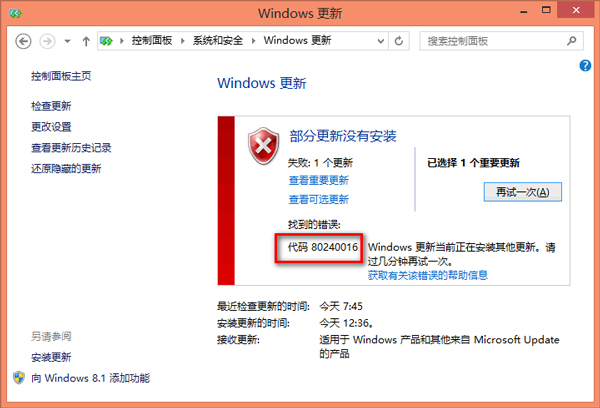
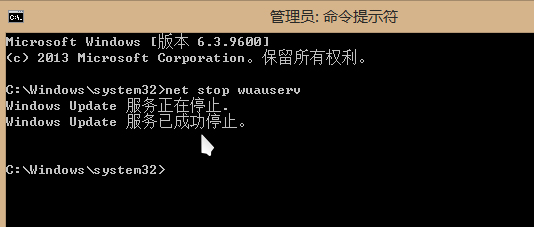
此錯誤本質是「使用者權杖過期或衝突」。`net stop/start wuauserv` 相當於重新啟動更新服務並重新取得有效權杖。升級 Win10 前,建議先重新開機並關閉所有安裝程式、防毒軟體,可大幅降低發生此錯誤機率。
Win8.1 找不到 Administrator 管理員帳號?命令啟用內建管理員
Windows 8 雲端音樂應用推薦:QQ音樂、酷我音樂正版雲同步體驗
Windows 8 開始畫面空空如也?啟用「所有應用程式」檢視並釘選常用程式
Windows 8 右鍵無法查看應用大小?教你用「電腦設定」快速掌握佔用空間
Win8 IE 瀏覽器 Flash Player 無法運作?三步驟排除啟用、篩選與版本問題
Windows 8 無法進入 BIOS 解決:重新開機或關閉快速啟動
Win8.1 升級 Win10 錯誤 0x80070002 解決方案:非引導碟干擾、非 Microsoft 服務衝突、殺毒軟體攔截