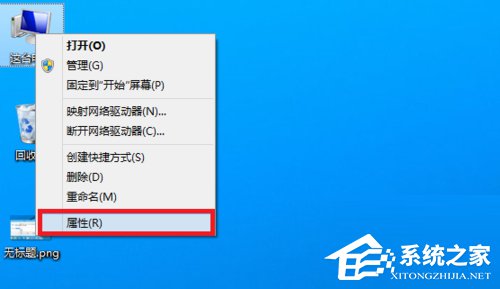
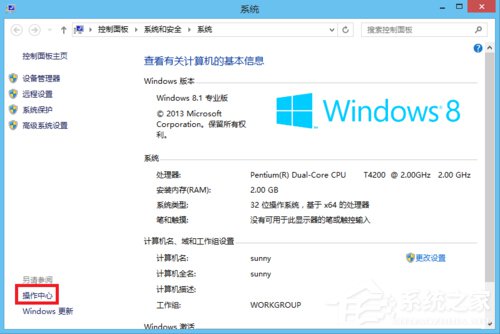
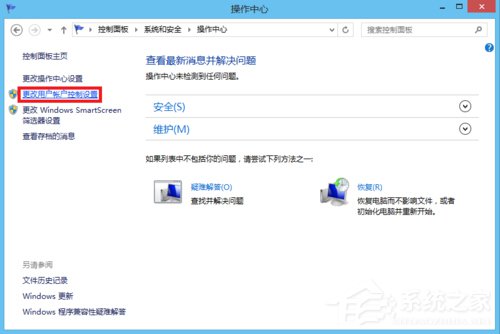
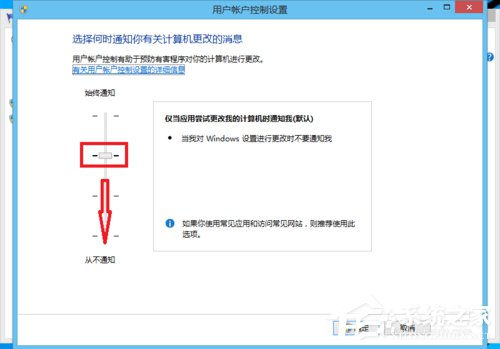
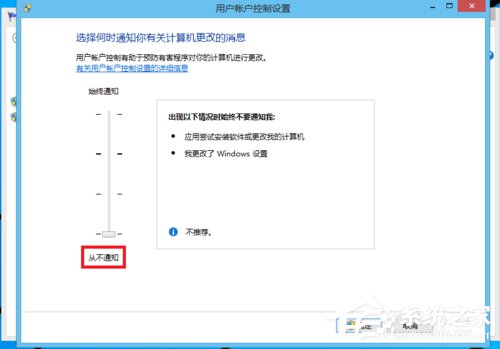
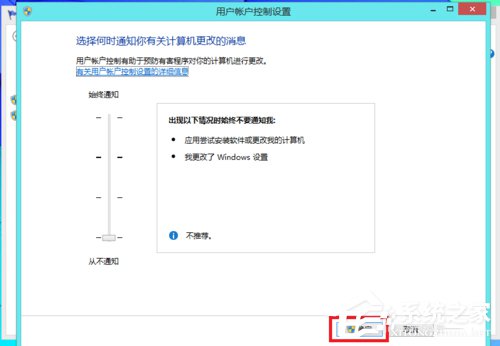
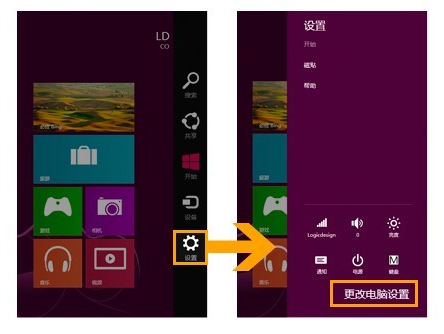
Windows 8 安裝軟體時總彈出 UAC 提示詢問「允許此應用程式變更您的裝置嗎?」,若覺得煩擾,可將 UAC 設為「從不通知」關閉提示。
設定完成後,安裝軟體、執行管理員工作將不再彈出 UAC 確認視窗。注意:關閉 UAC 會降低系統安全性,建議僅在單人使用且具備基本安全意識的電腦上操作,並確保防毒軟體即時防護開啟。
Windows 8 取得資料夾完全控制權限:匯入登錄檔新增右鍵選單一鍵操作
Windows 8 十大亮點搶先看:首度對決 Google Chrome OS
Win8 找不到 GHOST 啟動檔案?修復啟動設定讓系統正常開機
Win10 IE 瀏覽器提示缺少 Flash?系統目錄修復與註冊 Flash.ocx 完整步驟
Windows 8 建立系統映像備份完整教學:硬碟、光碟、網路三種目的地
Win8 裝置管理員掃描硬體變更完整圖文教學
Win8 設定全域搜尋:Charms Bar 搜尋鍵、應用/設定/檔案三分類、啟用應用內搜尋
Windows 8 運行魔獸爭霸 3 故障全解決:語言版本不匹配、聲音初始化失敗、窗口化工具