Windows 8 升級 8.1 後產生大量垃圾檔案,特別是 Windows.old 舊系統備份佔用數 GB 空間。四招清理 C 槽:
net stop WuAuServRD /s %windir%\softwaredistributionnet start WuAuServexit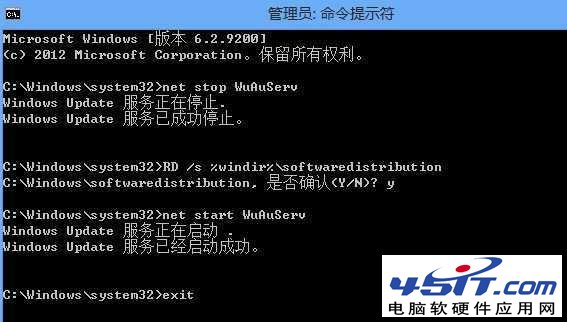
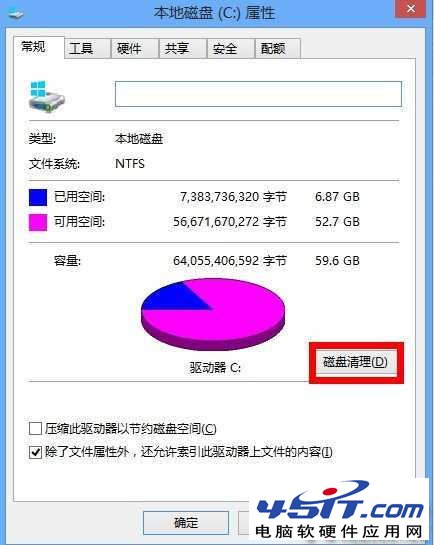
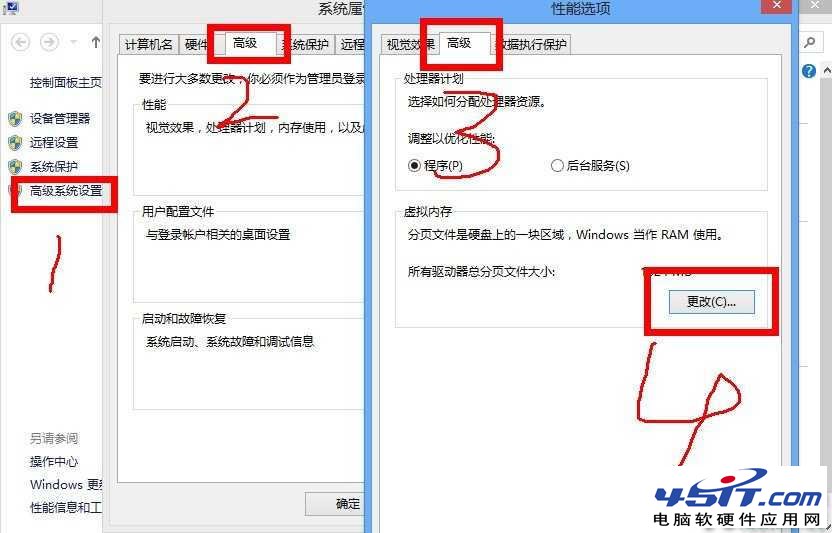
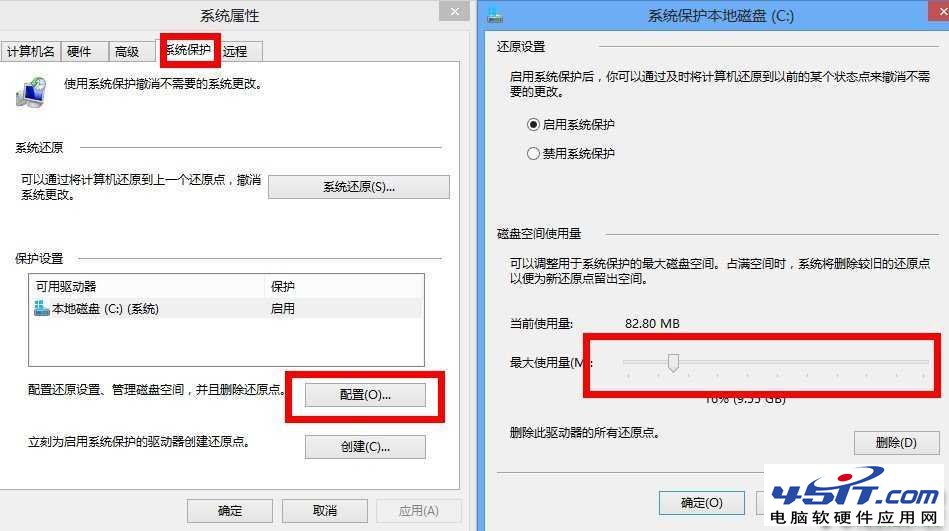
習慣建議: 軟體安裝時手動指定非 C 槽路徑,並可關閉休眠 (powercfg -h off) 釋放等同實體記憶體大小的空間。
Win 8 安裝字體小撇步:拖曳 .ttf/.fon 至 C:\Windows\Fonts 或控制台字體資料夾
Win8 如何隱藏「常用應用程式」列表?關閉開始畫面顯示最近開啟項目
Windows 8 便箋遺失怎麼辦?舊版資料保留位置與 StikyNot.exe 執行檔路徑快速找回
Windows 8 免重開機快速切換使用者帳戶:開始畫面右上角下拉選單直達登入介面
Windows 8 AeroLite Glass 視覺效果再探:啟用方法、效果圖、與 Aero 差異比較
VMware 8 虛擬機安裝 Win8 客戶預覽版完全攻略(第 1 部分):準備工作、特殊提醒、VMware Tools、新建虛擬機嚮導