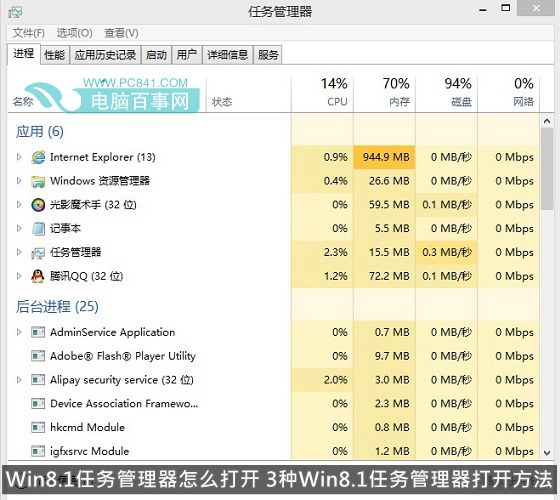
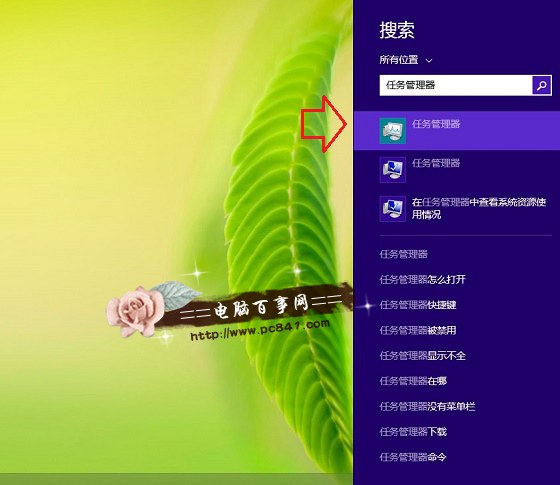
Windows 8.1 的工作管理器整合效能、程序、應用程式歷史、啟動、使用者等資訊,功能大幅增強。以下提供三種最快開啟方式。
同時按下 Ctrl+Alt+Del → 選擇「工作管理器」。
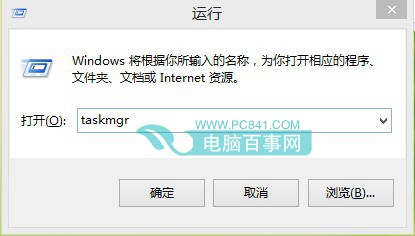
taskmgr
三種方法皆可在秒內開啟,建議熟記熱鍵以提升效率。
Windows 8 安全防護清單:七大內建功能全面守護電腦
Windows 8.1 部署 .NET Framework 3.5 完整教學:線上啟用、控制台、DISM 離線安裝三法
C 槽垃圾怎麼清?Windows 內建工具深度釋放空間教學
USB 隨身碟安裝 Win 8/Win 7 雙系統完整教學(上):製作開機碟
找回 Windows 8 Metro 介面遺失圖示:搜尋+釘選兩步搞定
硬碟安裝 Win 8.1 圖文教學:從 Win 7/Win 8 升級的完整步驟
Windows 8 Metro 程式分畫面顯示技巧:註冊表強制啟用
Windows 8 安全性能大幅提升:內建 Windows Defender、SmartScreen 篩選、UEFI 安全啟動