軟媒 Windows 8 優化大師首發組件「Windows 8 開始選單切換器」 (Start Menu Switcher) v1.0,純綠色 99KB 單一執行檔,一鍵在經典開始選單與 Metro 開始畫面間切換。
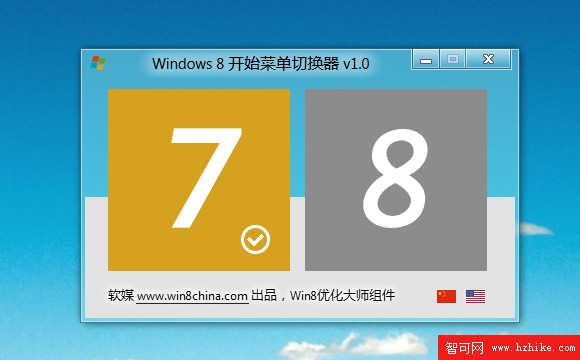
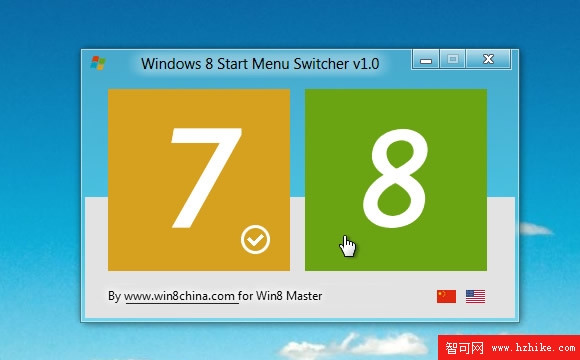
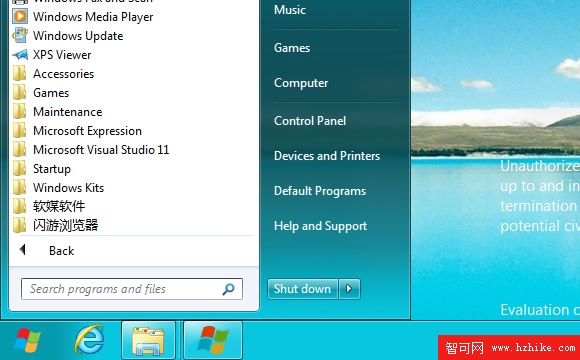
HKEY_CURRENT_USER\Software\Microsoft\Windows\CurrentVersion\Explorer\RPEnabled 值 (0=經典, 1=Metro) 並重啟 Explorer 進程。StartMenuSwitcher.exe,99KB,便於分享傳輸。https://down.ruanmei.com/Windows8Master/StartMenuSwitcher.zip。Win 8.1 官方加回開始按鈕 (但非完整開始選單),Win 10 重新設計開始選單融合磚塊與傳統清單。此工具僅適用 Win 8 RTM/預覽版,後續版本請使用 StartIsBack、Open-Shell、StartAllBack 等成熟替代方案。
VirtualBox 安裝 Windows 8 Consumer Preview 圖文教程
Windows 8 消費者預覽版無法上網?內建網卡驅動衝突,手動更新驅動解決
Windows 8 效能優化 10 大技巧:關閉家庭群組、Defender、索引服務等提升流暢度
Win 8 安裝卡在 42%「Something happened」?卸載殺毒軟體再試
Windows 8 安裝到 USB 隨身碟/行動硬碟:Windows To Go 完整實作教學
Windows 8 該裝 32 位元還是 64 位元?依據硬體規格選擇正確版本