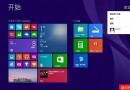
shutdown.exe -s -t 00。shutdown.exe -s -t 00,點擊即關機。作者偏好桌面模式下 Alt+F4 關機。
Win8/Win8.1 IE10/IE11 無法顯示 Flash 怎麼辦?四大解決方案完整圖解
Windows 8 安全性架構升級:內建反惡意軟體、ELAM 早期啟動防護、第三方安全產品整合
Windows 8 Modern IE10 操作大全:觸控手勢、滑鼠鍵盤快捷鍵、邊緣操作完全圖解
Windows 8 CP 安裝使用指南(六):開機、關機、睡眠操作變革
Windows 8 一鍵關機/重新開機/登出小工具 PowerMode,或原生多步驟關機替代方案
解決 Windows 8 無線網卡驅動無法安裝或運作的相容性問題