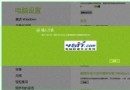
Win 8 線上安裝 .NET Framework 3.5.1 常報錯 0x800F0906,導致 91 手機助手等軟體無法執行。網上常見方案(移除語言包、修改登錄、獨立安裝包)多無效。以下提供經驗證有效的 DISM 離線安裝法。
sources\sxs 資料夾至任意位置(例:D:\sources\sxs)。cmd.exe)。dism.exe /online /enable-feature /featurename:NetFX3 /Source:D:\sources\sxs
約 1-2 分鐘完成,顯示 The operation completed successfully 即成功啟用 .NET 3.5。此法直接使用安裝媒體檔案,繞過 Windows Update 失敗問題。