BitLocker 可加密整個磁碟機,防止駭客存取系統檔案破解密碼,或物理移走硬碟到他機讀取。使用者正常登入 Windows 即可透明存取檔案。單一檔案加密請用 EFS。
資料磁碟機可用密碼、PIN、智慧卡,或設定登入時自動解鎖。
Windows 8 安裝教程 (4/4):OOBE 設定階段、安全性、使用者帳戶、登入畫面、Metro/桌面雙介面
Windows 8 進階個人化設定:通知顯示時間、開始畫面磚行數、觸控回應速度登錄調校
Windows 8 除 Office 外的五大實用亮點:動態磚、多媒體、遊戲、社交、安全
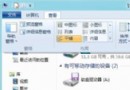
Windows 8 顯示/隱藏檔案超簡單:資源管理器一鍵搞定,免進控制台
Surface 3 六大截圖技巧:Win8.1/Win10 桌面用戶同樣適用
如何辨識 Windows 8 ISO 是否為正式版?檢查 install.esm 與檔案大小