Windows XP Windows 7 Windows 2003 Windows Vista Windows 綜合教學 Linux 系統教學
Windows 10 Windows 8 Windows 2008 Windows NT Windows Server 電腦軟體教學

Windows 8 CP 版 Metro 開始畫面一鍵關機/重啟/鎖定捷徑製作

編輯:Win8 系統基礎知識

Windows 8 消費者預覽版同樣缺少直觀電源操作磚。延續捷徑釘選技巧,三分鐘為開始畫面加入關機、重啟、鎖定三大功能。

快速製作步驟

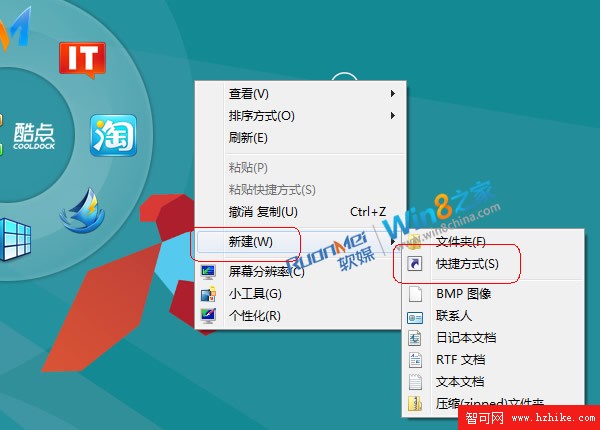
  1. 桌面右鍵 →「新增」→「捷徑」。
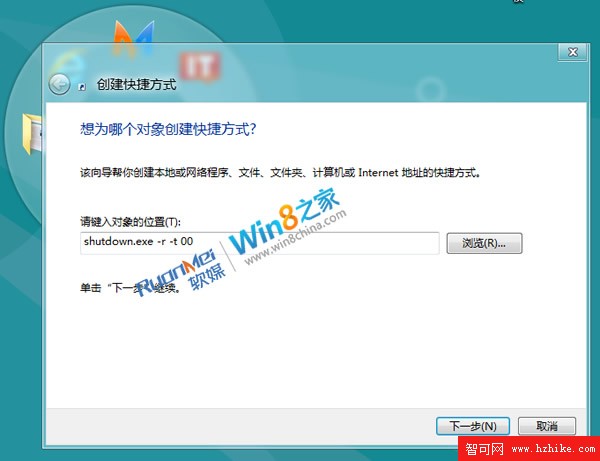
  2. 輸入命令:
    • 關機: shutdown.exe -s -t 00
    • 重啟: shutdown.exe -r -t 00
    • 鎖定: rundll32.exe user32.dll,LockWorkStation
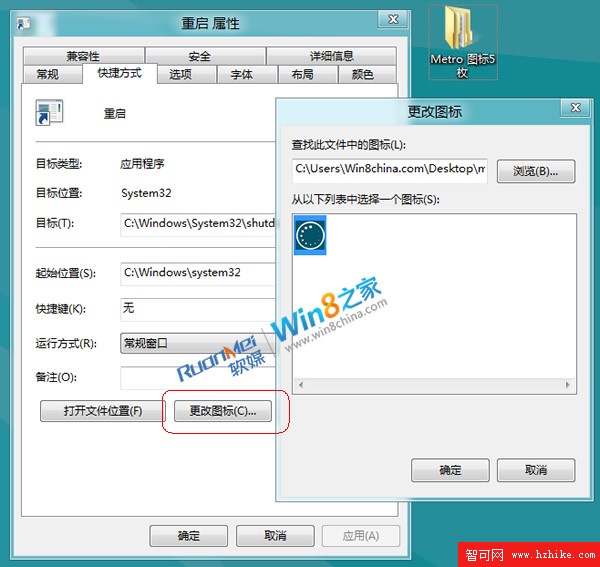
  3. 命名、更換圖示(建議使用系統內建電源/鎖定圖示)。
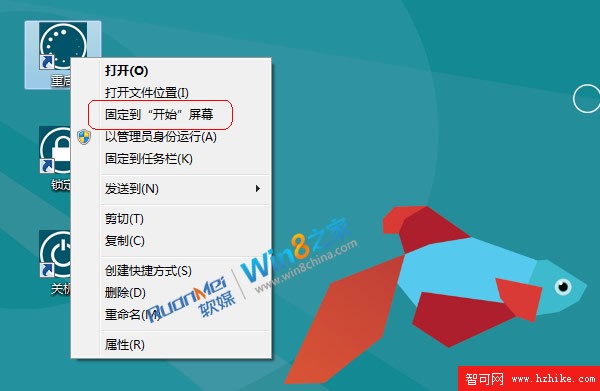
  4. 右鍵捷徑 →「釘選到開始畫面」(或複製到 %ProgramData%\Microsoft\Windows\Start Menu\Programs 後在所有應用程式中釘選)。
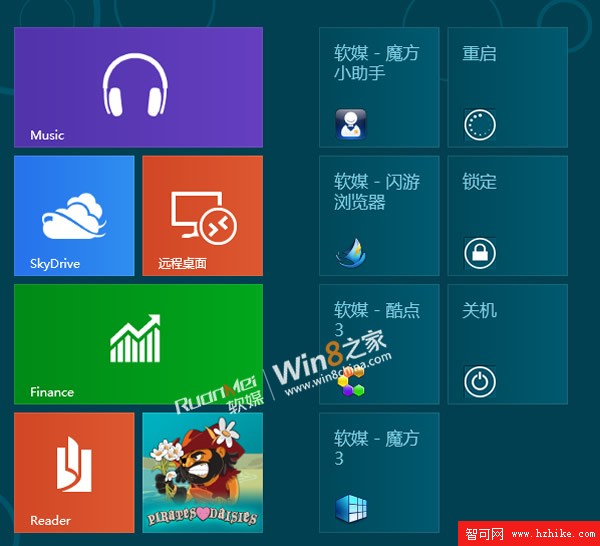
成品預覽
建立重啟捷徑
變更圖示
釘選到開始畫面
開始畫面最終效果

搭配 Win + X 選單與鍵盤快速鍵,構建完整的 Windows 8 高效操作體系。

Copyright © Windows教程網 All Rights Reserved