Windows 8 內建 Windows Media Player (WMP) 若不使用,可透過「開啟或關閉 Windows 功能」取消勾選移除,釋放資源並簡化「開啟方式」選單。
移除步驟
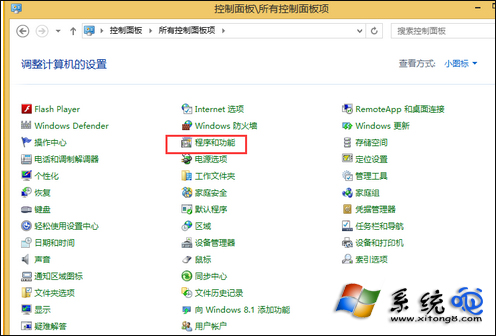
- 開啟 控制台 → 檢視模式設為 小圖示 → 程式和功能。
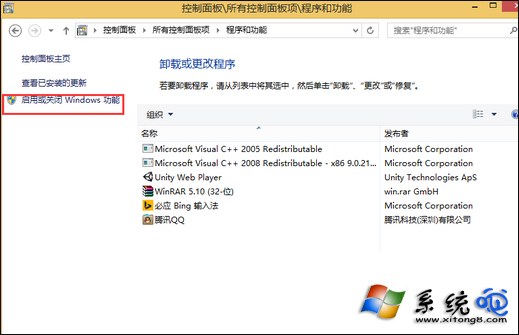
- 左側點選 開啟或關閉 Windows 功能。
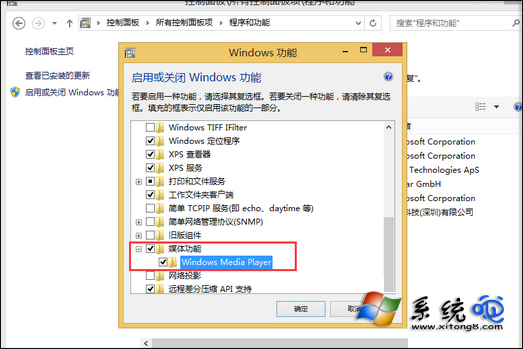
- 展開 媒體功能,取消勾選 Windows Media Player,確認對話框點「是」。
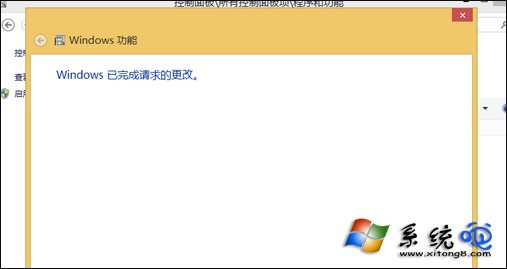
- 等待「Windows 正在套用變更」完成。
恢復與注意
- 同路徑重新勾選即可恢復 (需網路下載功能套件)。
- 移除後關聯檔案型別會改為其他播放器或「選擇預設應用程式」。
- 若僅想停用自動播放,可在「自動播放」設定關閉 WMP 相關項目,保留元件。