升級至 Win8 後,C 槽會殘留 Windows.old 資料夾佔用大量空間,直接刪除會提示權限不足。正確做法是使用內建「磁碟清理」工具,勾選「以前的 Windows 安裝」進行清理,即可安全釋放空間。
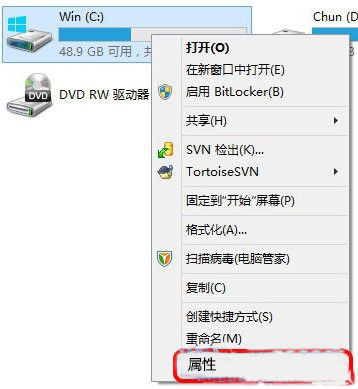
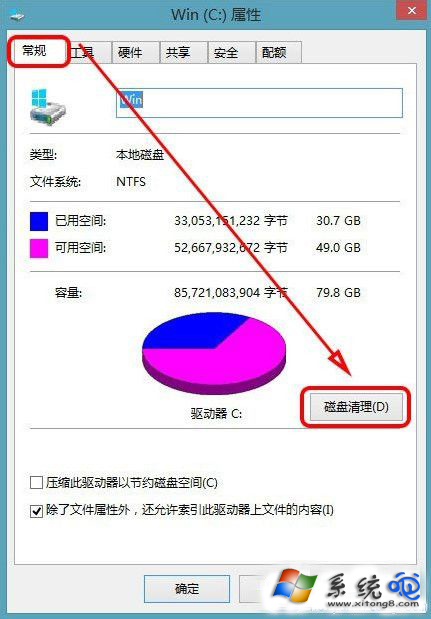
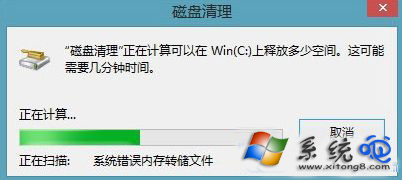
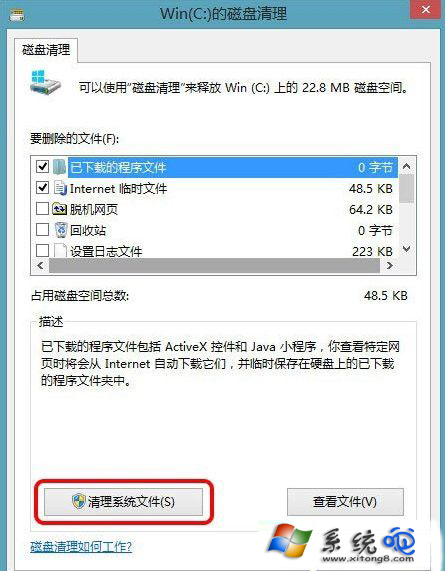
清理完成後可回收數 GB 空間,且不影響目前系統運行。注意:清理前請確認不需從舊系統還原個人檔案。
Windows 8 使用者帳號體系深度解析:Microsoft ID、本機管理員、電腦名稱四大身份釐清
Windows 8 設定預設開啟程式:單次使用與永久關聯兩種模式
Windows 8.1 「這台電腦」分組顯示儲存裝置:依檔案系統分類讓 USB/光碟/本地磁碟分區分開
Win8 系統建立無線 Wi-Fi 熱點推薦工具:魔方 WiFi 助手綠色版
Windows 8 啟動項管理搬家到工作管理員完整圖文教學:新介面啟動影響度評估與禁用操作
Win 8 找不到「新增/移除程式」 刪除登錄檔 DisallowCpl 恢復圖示