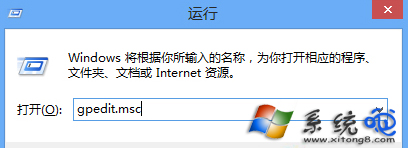
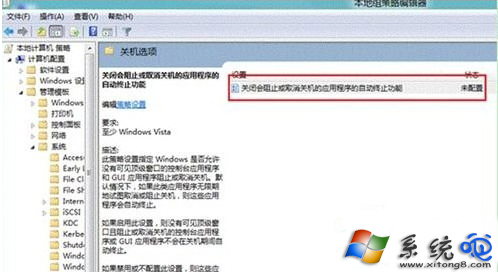
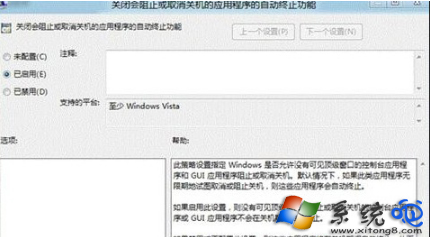
Windows 8 無開始選單,關機較繁瑣。透過群組原則可讓系統強制關閉阻礙關機的程式,實現快速關機。路徑:Win+R → gpedit.msc → 電腦設定 → 系統管理範本 → 系統 → 關機選項 → 「關閉會阻止或取消關機的應用程式的自動終止功能」 → 設為「已啟用」。
gpedit.msc
設定後關機不再因程式回應緩慢而卡住。
從程式管理員到 Metro:Windows 開始選單 17 年演進史
Windows 8 常用軟體在 Windows 8.1 相容性實測:40 款主流應用全部安裝使用正常
Windows 8 新啟用機制 OA 3.0 引發 ODM 與品牌廠成本博弈
Win8 變更桌面背景、視窗色彩與螢幕保護程式
Win8 安全模式完整指南:五大核心修復功能一次掌握
Windows 8 快速還原出廠設定教學 (保留/移除檔案選項)
Win8 縮圖顯示異常修復:磁碟清理與快取資料夾手動清除雙重保險
Win8 開始畫面新增傳統桌面版 IE10 快捷磚教學