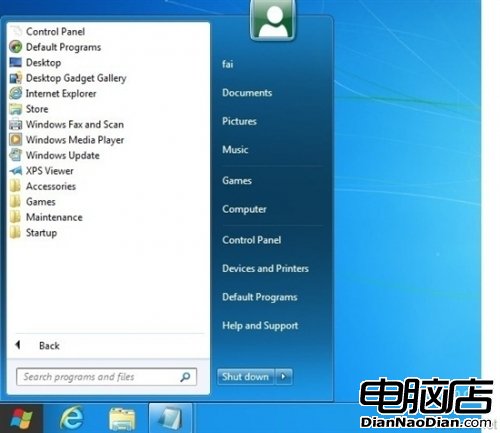
Windows 8 開發者預覽版以 Metro UI 取代經典開始選單,非觸控螢幕用戶難適應。透過註冊表可恢復 Win7 風格開始選單:運行 regedit → 展開 HKEY_CURRENT_USER\Software\Microsoft\Windows\CurrentVersion\Explorer → 將 RPEnabled 值從 1 改為 0。恢復 Metro 只需改回 1。注意:此修改同時停用 Metro UI 介面。
regedit
HKEY_CURRENT_USER\Software\Microsoft\Windows\CurrentVersion\Explorer
RPEnabled
Windows 8 開機 USB 隨身碟製作工具 Win8USB 使用教學
Windows 8.1 預覽版啟用「上帝模式」完整教學
Windows 8 快速切換使用者帳號:Shift+右鍵「以其他使用者身分執行」秒切帳號
Windows 8 x86 簡體中文語言包安裝教學:控制台安裝 lp.cab 完成漢化
Win8 無法安裝 .NET Framework 3.5.1?使用 DISM 離線部署安裝源解決
Win8 提示「藍牙裝置已停用」?開啟飛行模式設定中的藍牙開關
Windows 8 RP8000 離線安裝 .NET Framework 3.5:僅需 ISO 內 SxS 資料夾與 DISM 指令
防止外洩 微軟為 Windows 8 加裝特殊產品金鑰鎖定機制