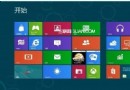
Win8 Metro 介面顏色與底紋可自訂:
安裝時的個人化設定同樣可調整。文中附設定路徑截圖兩張。簡單三步驟打造專屬開始畫面風格。
Windows 8.1 觸控手勢完整圖解:從基礎到進階操作
Windows 8 建立系統還原點三步驟:桌面電腦右鍵 → 系統保護 → 建立
Windows 8 消費者預覽版全新熱鍵大全:22 組 Win 鍵組合大幅提升操作效率
Windows 8 Word 稿紙增益集無法卸載?刪除註冊表安裝記錄強制清除
Windows 8 控制台在哪?三種最快開啟方式:Charms、Win+X、搜尋
設定 Win8 雙螢幕全景主題
Windows 8 無法連線應用商店解決方案:netsh 匯入 IE Proxy 設定
有圖為證:Win8 版 VLC 播放器即將完工,Kickstarter 眾籌專案進度公開