操作步驟
- Win+R →
secpol.msc 開啟「本地安全性原則」。
- 防止暴力破解密碼:「帳戶原則」→「帳戶鎖定原則」→ 「帳戶鎖定臨界值」設為 3-5 次,「鎖定時間」設 30 分鐘。
並啟用:「網路存取:不允許 SAM 帳戶和共用的匿名列舉」、「網路存取:可匿名存取的共用/可遠端存取的登錄路徑/命名管道」四項值全部清空。
- Windows 防火牆進階設定:兩種進入方式:
① 控制台 → 系統與安全性 → Windows 防火牆 → 進階設定。
② Win+R → wf.msc。
熟練配置輸入/輸出規則,滿足個人至企業級安全需求。
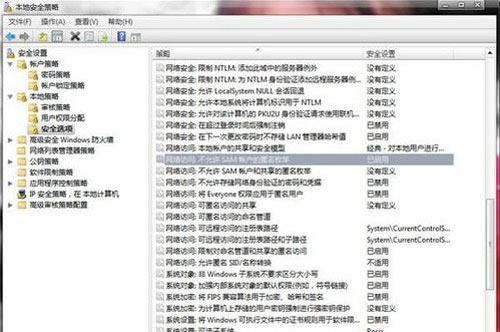 帳戶鎖定原則設定
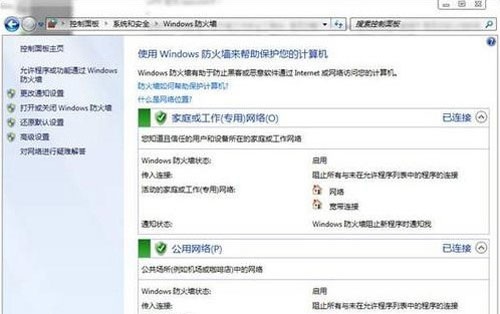 防火牆進階設定進入路徑
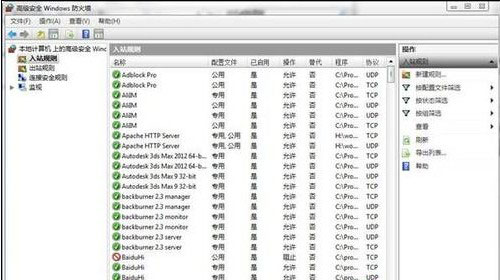 Windows 防火牆進階安全性介面
善用本地安全性原則與防火牆進階規則,大幅提升 Windows 8 抗駭能力。