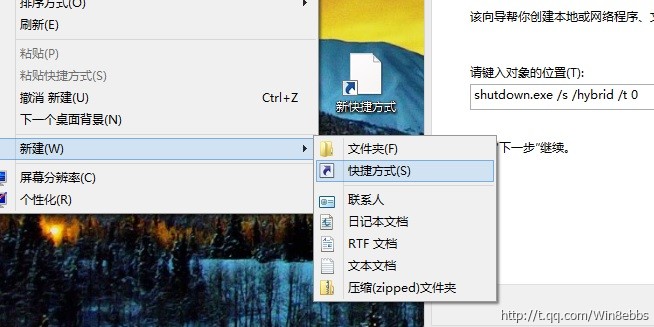
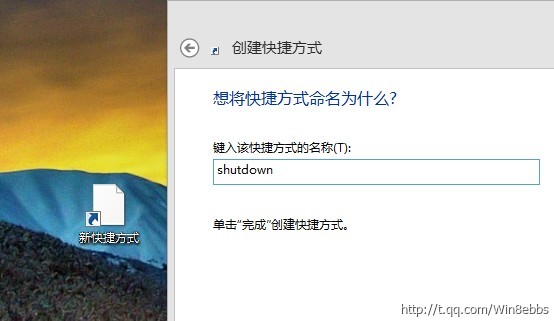
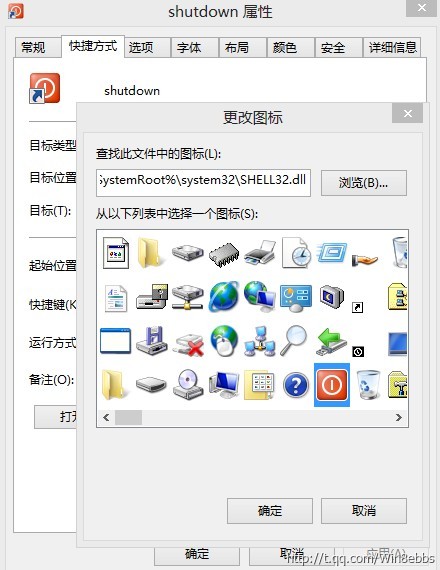
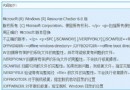
shutdown.exe /s /hybrid /t 0
/s
/hybrid
/t 0
效果:點擊即刻關機,無任何等待對話框。風險:誤觸無法取消,建議放置不易誤觸位置。Win8 時代許多用戶改用睡眠模式替代關機。
那些奇葩的 Win8 應用大盤點:擲足球、認貓咪、數雞蛋……
Windows 8.1 顯示卡驅動程式更新完整指南:官網與工具法
Win 8 電源選項加入「休眠」:筆電省電利器啟用教學
Win8.1 預覽版郵件、日曆、人脈應用全新功能深度預覽
Win8 照片上傳 QQ 空間失敗解決:IE 安全性設定啟用「上傳包含本機目錄路徑」
Win 8.1/RT 8.1 新增語言與鍵盤版面完整圖文教學(七大步驟)
Win8.1 預覽版找回 Windows 體驗指數 (WEI) 完整指令教程
Windows 8 平板鍵盤中英文 @ 符號陷阱:全形/半形輸入差異導致登入失敗