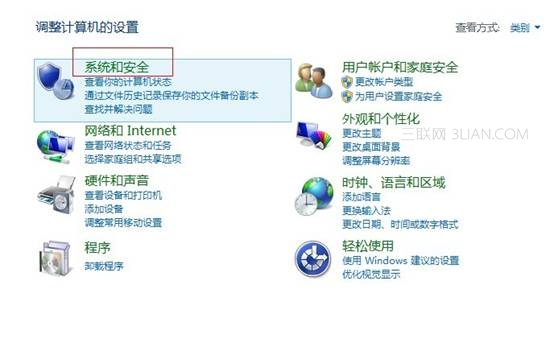
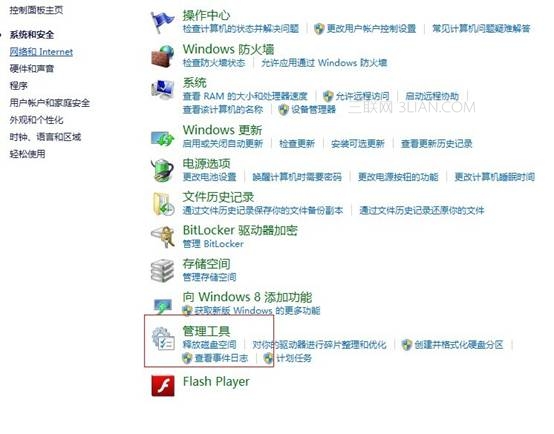
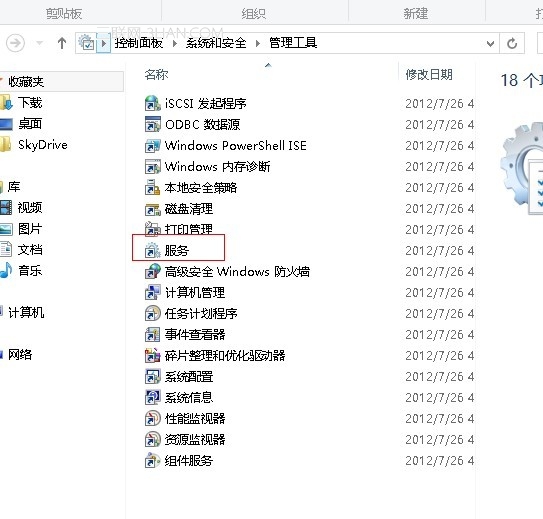
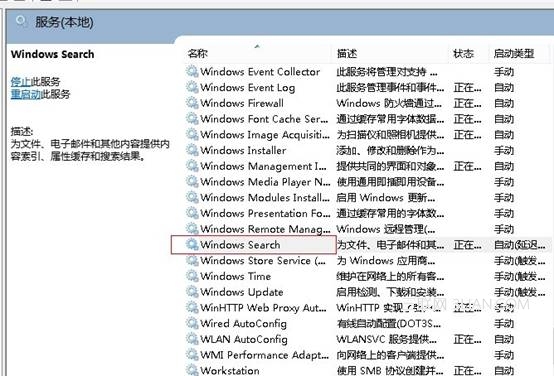
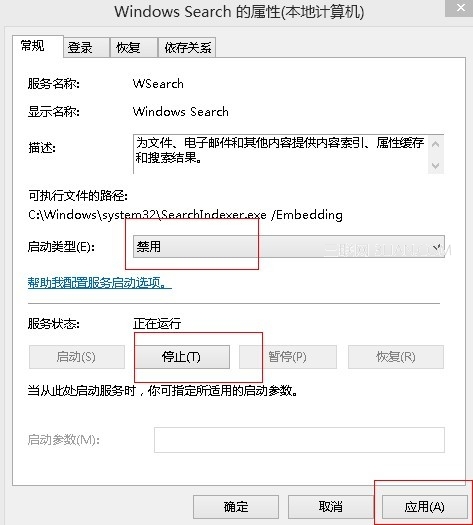
Windows Search 索引服務頻繁寫入 SSD,縮短壽命 (SSD 約 6000-10000 次全盤寫入)。若搜尋需求不高,關閉索引可大幅延長 SSD 壽命,且憑藉 SSD 高隨機讀取效能,即時搜尋速度差異不大。
補充: 機械硬碟用戶也可關閉索引,避免硬碟指示燈頻繁閃爍。搜尋需求大的用戶建議保留。
Windows 8 消费者预览版 50 个实用技巧大全:从锁屏到系统修复的完整进阶指南
KMSpico 啟用 Windows 8.1 完整圖文教學:傻瓜式一鍵啟用流程
Windows 8 設定 USB 開機三大法:進階啟動、電源選項修改、強制關機進 BIOS
Windows 8 中英文輸入法切換與熱鍵自訂完整教學
Win8 設定 VPN 連線完整教學:建立 PPTP/L2TP 連線與常見問題排除
Mozilla 將為 Windows 8 Metro 介面推出專屬 Firefox
Windows 8 無法辨識防毒軟體?實為效能優化指南:視覺效果、磁碟重組、資源監視器三步驟加速系統
探索 Win8 系統多樣化的關機方法