Windows XP Windows 7 Windows 2003 Windows Vista Windows 綜合教學 Linux 系統教學
Windows 10 Windows 8 Windows 2008 Windows NT Windows Server 電腦軟體教學

Windows 8 右鍵「網路」內容無反應修復:服務與 DLL 重新註冊

編輯:Windows 8 系統介紹

右鍵桌面/檔案總管「網路」選擇「內容」無反應,通常因系統檔案損毀 (盜版系統常見) 或網路相關服務/DLL 異常。以下為標準修復流程。

檢查項目與修復步驟

  1. 確認服務啟動:
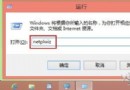
    Win+R → services.msc → 找到 Network Connections → 確認狀態為「執行中」,啟動類型「自動」。
  2. 確認核心 DLL 存在:
    C:\Windows\System32\ 下需存在:
    netshell.dll、netman.dll、netcfgx.dll
  3. 重新註冊網路元件 (核心修復):
    管理員 CMD 依序執行:
    regsvr32 netcfgx.dll
    regsvr32 netshell.dll
    regsvr32 netman.dll
  4. 若 netshell.dll 註冊失敗 (0x80020009):
    先註冊 atl.dll 再重試上述三支 DLL:
    regsvr32 atl.dll
    regsvr32 netcfgx.dll
    regsvr32 netshell.dll
    regsvr32 netman.dll

替代方案

  • 若上述步驟過於複雜,且系統為盜版/精簡版,建議還原系統還原點或重新安裝正版 Windows 8/8.1,現代安裝流程約 20-30 分鐘,最乾淨徹底。
  • 系統檔案檢查器修復:管理員 CMD 執行 sfc /scannow。
Copyright © Windows教程網 All Rights Reserved