Windows 8 內建微軟拼音輸入法大幅強化,不僅支援標準標點,更可輸入豐富特殊符號、幾何圖形與簡易表情,無需安裝第三方輸入法。
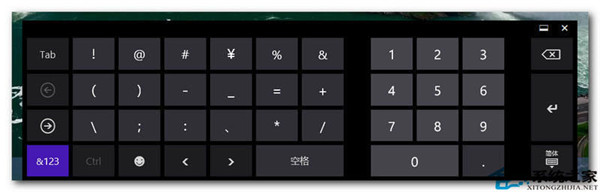
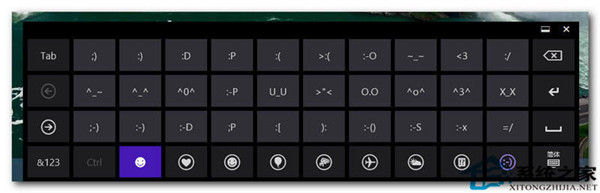
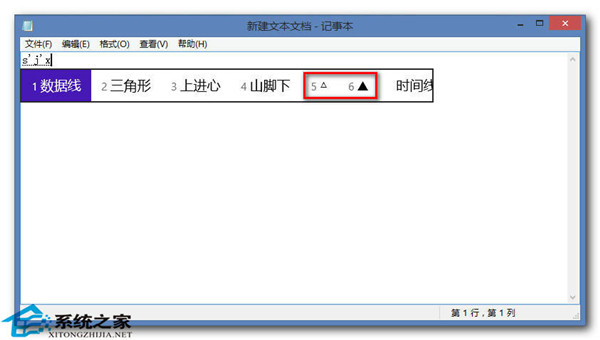
輸入符號名稱拼音首字母即可候選:
dh (dun hao)dh (dou hao)sjx (san jiao xing)fk (fang kuai)yx (yuan xing)jt (jian tou)ax (ai xin)xl (xiao lian)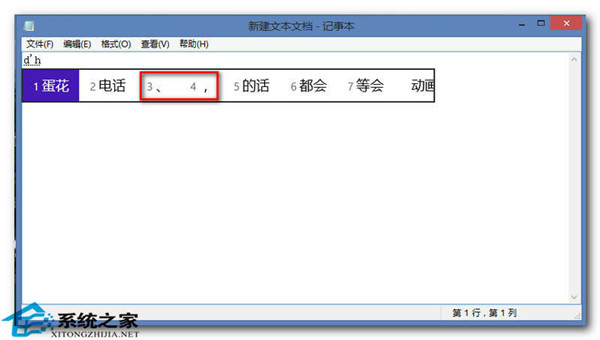
Windows 8 ATI/AMD 顯示卡調整螢幕縮放(Scaling)教學:透過 Catalyst Control Center 解決畫面不滿螢幕
Windows 8 海量圖賞:跨越 PC/平板、x86/ARM 統一介面體驗
開發者將 Windows 8 Metro 風格移植至 Firefox 起始頁面 高度可客製化
Win8.1 Update 實用快捷鍵大全:功能類、視窗管理、Modern 操作、傳統桌面分類速查
Windows 8 Build 8047 於 7 月 14 日編譯完成 仍屬內部測試版
使用 VirtualBox 虛擬機安裝 Windows 8.1 Preview 避免影響主系統