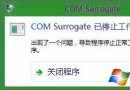
「相片」應用圖庫不顯示新增圖片,卻能顯示新建資料夾 (顯示為空)。原因是應用僅索引「應用執行期間」新增的檔案;應用暫停或關閉時新增的檔案不會自動掃描。
先啟動「相片」應用保持執行,再將圖片複製/移動至圖庫資料夾,新圖片即會即時出現在應用中。若已大量匯入,需重新啟動應用觸發重新索引。
此行為自 Win8 升級 8.1 後引入,屬設計機制而非錯誤。
Win8 硬碟指示燈狂閃 CPU 高佔用根因與解決:家庭群組服務異常迴路
Win8 應用商店卡在「載入中」?四招清除快取、重置網路、修復系統
Win8.1 主題完全指南:構成、創建、保存、共享、刪除、獲取更多
Windows 8 Metro IE 無法開啟網頁?Proxy 同步修復指令
Windows 8 IE10 收藏夾與歷史記錄同步設定:Microsoft 帳戶登入即自動同步,可單獨開關瀏覽器同步
Windows 8 找回「休眠」選項:群組原則啟用 + powercfg 解除裝置喚醒鎖定,完整圖文教學
Win8 應用商店預設安裝路徑能改嗎?註冊表修改法與權限陷阱全解析
電腦無法識別 WP8 手機 USB 大容量儲存模式?7 招解決驅動問題