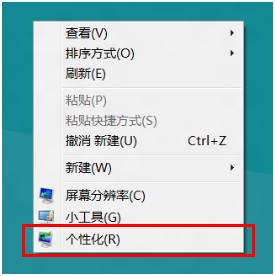
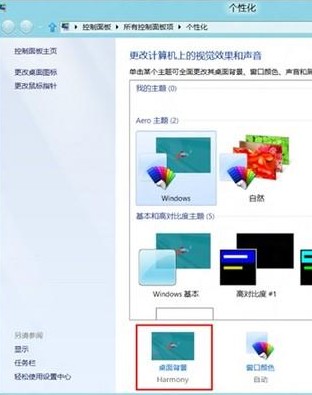
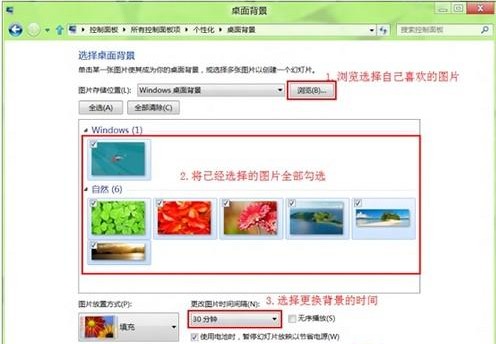
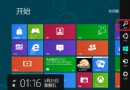
厭倦靜態桌面?Windows 8 內建幻燈片播放功能,讓桌面背景自動輪播喜愛圖片:
支援隨機播放順序,讓每次開機都有新鮮感。建議準備解析度符合螢幕的高畫質圖片,獲得最佳視覺效果。
Windows 8 推進至 Build 8063 仍屬 M3 階段 BUILD 大會將首度公開亮相
Win 8 照片應用顯示電腦圖片完整設定:圖片庫納入資料夾、SkyDrive 同步、外接裝置匯入
Windows 8 或將棄用 IEEE 1394 介面:FireWire 時代的終結?
Win8 檔案總管永遠顯示選單列:預設即啟用與選項設定確認
Win8/8.1 快速停用鎖定畫面的兩種方法
Windows 8 內建防駭客/病毒新功能?PatchGuard 核心修補防護與 UEFI Secure Boot 雙重護航
Windows 8 桌面圖示無法拖曳排列?四大解決方案
Windows Vista 資源管理器:如何永久顯示傳統選單列