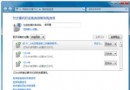
Win7 圖示大量變白或顯示異常,主因是圖示快取檔損毀。提供兩種重建方法:
將下列內容存為 fix_icon.bat,以系統管理員身分執行:
@echo off
taskkill /f /im explorer.exe
attrib -h -s -r "%userprofile%\AppData\Local\IconCache.db"
del /f "%userprofile%\AppData\Local\IconCache.db"
attrib /s /d -h -s -r "%userprofile%\AppData\Local\Microsoft\Windows\Explorer\*"
del /f "%userprofile%\AppData\Local\Microsoft\Windows\Explorer\thumbcache_*.db"
echo y | reg delete "HKEY_CLASSES_ROOT\Local Settings\Software\Microsoft\Windows\CurrentVersion\TrayNotify" /v IconStreams
echo y | reg delete "HKEY_CLASSES_ROOT\Local Settings\Software\Microsoft\Windows\CurrentVersion\TrayNotify" /v PastIconsStream
start explorer
IconCache.db 並刪除。方法一更徹底(含工作列通知區快取),建議優先使用;若無效再嘗試方法二。