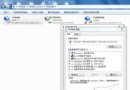
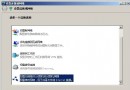
方法一:傳統控制台路徑 (適合習慣圖形介面操作)
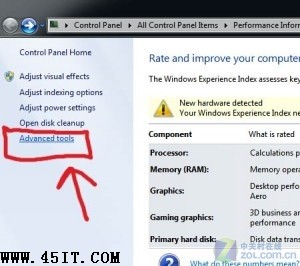
- 開始 → 「效能資訊與工具」
- 左側選擇「進階工具」
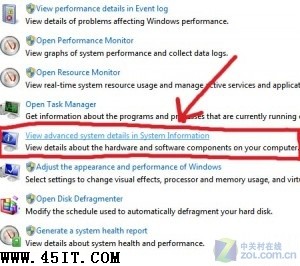
- 點選「在系統資訊中檢視進階系統詳細資料」
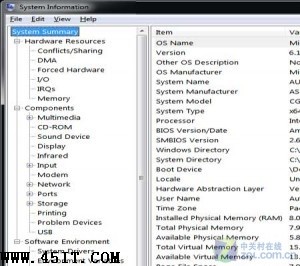
- 彈出
msinfo32 視窗,左側樹狀目錄可展開:硬體資源、元件、軟體環境、系統摘要
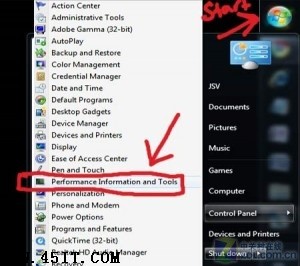
方法二:開始選單搜尋直達 (最快、最推薦)
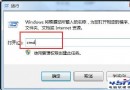
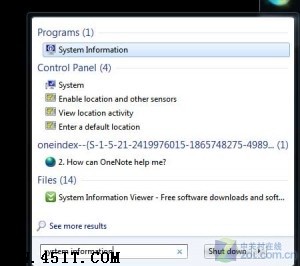
- 開始 → 搜尋框輸入 System Information 或 msinfo32
- 搜尋結果直接點擊開啟
- 未來再次搜尋會記憶於開始選單上方,單點即達
實用情境
- 遠端協助時快速提供:作業系統版本、記憶體大小、CPU 型號、顯卡、磁碟分區、網路卡 MAC、驅動程式版本、啟動項目、環境變數等
- 匯出報表:檔案 → 匯出 → 存為
.nfo 或文字檔,傳給技術支援人員
結語
Windows 7 系統資訊工具 (msinfo32) 功能強大、**搜尋直達** 是最高效入口。養成「有問題先跑 msinfo32」習慣,溝通成本直降 80%。