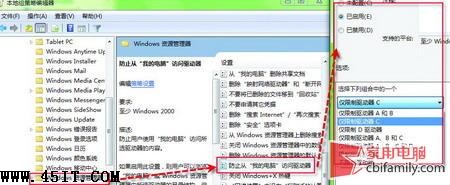
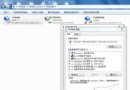
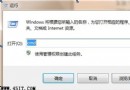
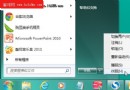
作業系統所在分區(通常是 C 槽)容易被誤刪或誤改,尤其家中有好奇心重的小孩。Windows 7 可透過群組原則隱藏指定磁碟機,連「執行」輸入盤符也無法存取。
gpedit.msc
設定完成後,檔案總管將不再顯示 C 槽,且直接輸入 C: 也無法進入,有效防止誤操作。
C:
Win7/Vista 磁碟機代號消失?資料夾選項勾選「顯示磁碟機代號」即可恢復
關閉 Win 7 視窗拖曳螢幕邊緣自動最大化(Aero Snap)
Win7 環境下徹底格式化 XP 系統盤:三種工具法解決刪不掉的檔案
Win7 無法啟動 Windows 安全中心服務:服務管理工具一鍵啟動 Security Center
關閉 Windows 7 更新完成後的「重新啟動」提示視窗
Win7 工作列縮圖預覽消失?C 盤空間不足導致,釋放空間即刻恢復
Win7 如何修改軟體預設安裝路徑?註冊表變更 ProgramFilesDir 教學
Win7 更新補丁衝突怎麼辦:控制台「檢視已安裝更新」→ 右鍵卸載問題補丁,必要時重新安裝