網友提問:聯想筆記本裝 Win7 32 位元家用版,撥號出現錯誤代碼 771,怎麼解決?
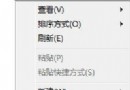
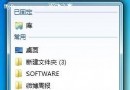
錯誤代碼 771(文中誤植為 711)通常是因為網路相關服務未啟動。請依下列步驟操作:
Win7 刪除 100 MB 系統保留分區:移動啟動檔案至 C 槽完整步驟
Windows 7 工作列內建迷你 Dock:自訂工具列放置電腦/回收站/控制台/搜尋/程式庫
Windows 7 系統安全維護技巧 (2):執行維護任務、改善電源使用
Win7 桌面建立一鍵休眠捷徑:指定熱鍵秒進休眠模式
將 WinPE 安裝至第一顆硬碟的其他主分區:多重開機實戰教學
Win7 睡眠/休眠/混合睡眠/離開模式完整解析:省電、喚醒速度、資料安全、適用場景一次懂
Windows 7 系統進程深度優化指南:精簡服務、加速開機、釋放記憶體
拒絕重複勞動:Windows 7 一次性批量設定檔案關聯(以 WMP 12 為例)