Windows XP Windows 7 Windows 2003 Windows Vista Windows 綜合教學 Linux 系統教學
Windows 10 Windows 8 Windows 2008 Windows NT Windows Server 電腦軟體教學

Windows 7 登入畫面背景自訂:登錄表啟用 OEMBackground + 依解析度命名圖片置入資料夾

編輯:Win7 系統基礎知識

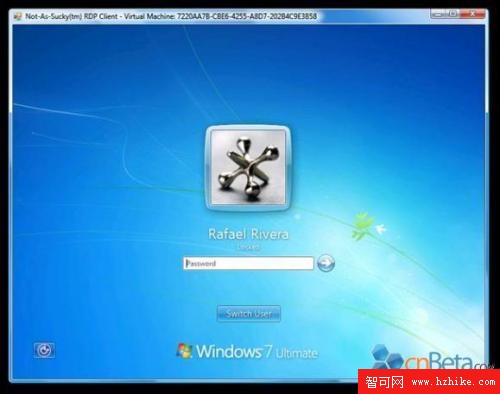
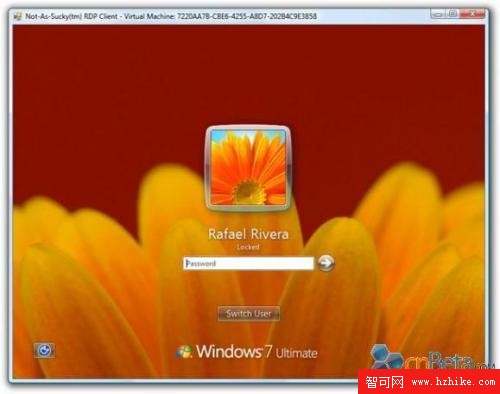
Build 7057 支援登入背景自訂,原為 OEM 廠商預留,用戶可透過登錄表啟用:

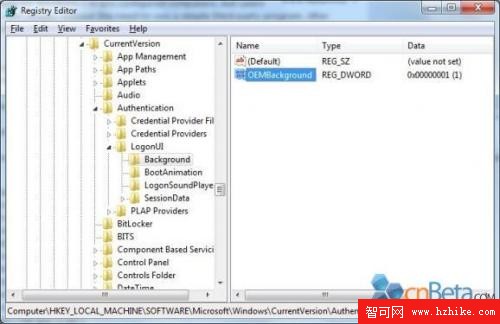
  1. regedit 定位 HKLM\Software\Microsoft\Windows\CurrentVersion\Authentication\LogonUI\Background
  2. 建立/修改 DWORD OEMBackground = 1(0 為關閉)

圖片準備與命名規則

  • 確認主螢幕解析度長寬比(如 1920×1200 = 1.6:1)
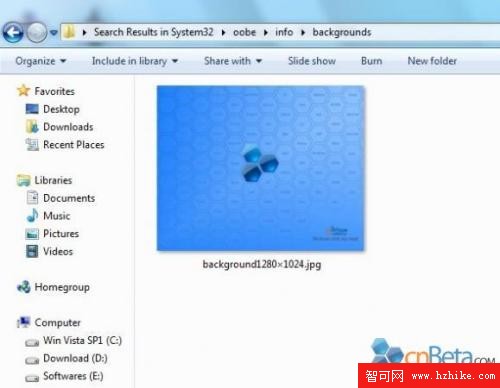
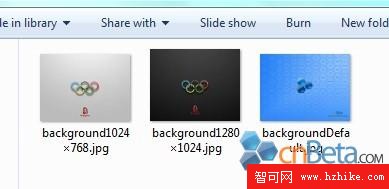
  • 圖片置於 %windir%\system32\oobe\info\backgrounds(無則自建)
  • 依解析度命名:background1920x1200.jpg、background1280x1024.jpg 等,系統自動匹配當前解析度
  • 支援解析度清單見文中圖表,僅需當前解析度對應圖片即可

修改後重開機即可見個性化登入背景,無需第三方美化工具或破解系統檔。
原始登入介面 自訂背景後介面 登錄表 OEMBackground 設定 支援解析度命名對照表 背景資料夾結構

Copyright © Windows教程網 All Rights Reserved