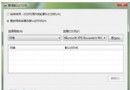
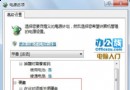
XP 無法直接查看無線密碼,Win7 可視化操作:
重裝系統時備份密碼,或同事詢問密碼時快速提供。
Windows 7 預設字體一鍵還原:控制台 → 字體設定 → 「還原預設字體設定」
Windows 7 存取 Samba (Linux) 網域檔案伺服器失敗解決:調整 LAN Manager 驗證等級為 NTLMv2
Windows 7 遊戲全螢幕解決方案:登錄表修改與 NVIDIA 控制面板雙管齊下
Win7 預覽窗格深度評測:Word/Excel/PDF/JPG/TXT 免開啟即讀,支援複製、縮放、旋轉、分頁
Windows 7 操作技巧大全:快捷鍵、任務列、資源管理器與隱藏功能
Windows 7 利用群組原則隱藏 D 磁碟機
修改註冊表讓 WPS 永遠以新視窗開啟文件:方便多文件對照與 Alt+Tab 切換
IE11 相容性差、常當機?教您快速移除回滾 IE10