現象
快速啟動列的「顯示桌面」圖示不見了,Win+D 雖可用但習慣點圖示。
方法一:註冊表指令修復 (最快)
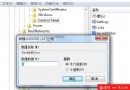
- Win+R → 輸入:
REGSVR32 /n /i:u shell32
- 按 Enter → 彈出「shell32.dll 中的 DllInstall 成功」→ 圖示自動回歸。
方法二:手動建立 .scf 檔 (可控版)
- 開啟記事本 → 貼入:
[Shell]
Command=2
IconFile=explorer.exe,3
[Taskbar]
Command=ToggleDesktop
- 另存新檔:
- 路徑:桌面
- 檔案類型:**所有檔案**
- 檔名:**「顯示桌面.scf」**(含引號,確保副檔名為 .scf)
- 將檔案**拖曳到快速啟動列** (工作列右側 `>>` 區域) → 圖示建立完成。
原理解析
- .scf (Shell Command File) 是總管識別的特殊命令檔,
Command=2 + ToggleDesktop 觸發顯示桌面動作。
IconFile=explorer.exe,3 指定第 3 個圖示資源 (顯示桌面圖示)。
補充:Win7 快速啟動列預設隱藏
- 工作列右鍵 → 取消鎖定 → 右鍵空白處 → 工具列 → **「新增工具列」** → 資料夾輸入:
%AppData%\Microsoft\Internet Explorer\Quick Launch → 選取資料夾 → 即可顯示經典快速啟動列。
兩招任選,讓「顯示桌面」回歸指尖。