理解 Win 7 記憶體管理機制 (SuperFetch 預讀、ReadyBoost 擴充),可透過簡單習慣與設定提升體感速度。
核心建議
- 多用休眠/睡眠,少用關機:SuperFetch 預讀內容保留在記憶體/休眠檔中,下次開機無需重新預讀,大幅縮短啟動與應用程式首次載入時間。
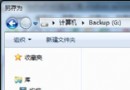
- 記憶體不足時啟用 ReadyBoost:插入符合速度標準的 USB 隨身碟/SD 卡 → 右鍵內容 → ReadyBoost 頁籤 → 獻出空間 (建議 1-2.5 倍實體記憶體)。作為 SuperFetch 預讀頁面的快取池,演算法可保護快閃記憶體壽命。實體記憶體充足 (4GB+) 則無需開啟。
補充知識:什麼是工作集?
程式執行時在記憶體中佔用的實際工作空間稱為「工作集」。SuperFetch 透過分析使用習慣,預先將常用程式的工作集載入記憶體,實現「即開即用」。
Win 7 經 Vista 磨練已更成熟,適應其記憶體管理邏輯,電腦會越用越順手。