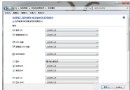
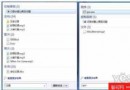
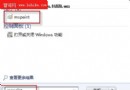
Daemon Tools Lite 4.356 內建 SPTD 1.62,在 Win 7 下會導致「無法載入適配器」錯誤。升級 SPTD 至 1.75 版即可解決。
SPTD(SCSI Pass Through Direct)是 Daemon Tools 用於虛擬光碟的核心驅動,採用類 Rootkit 技術攔截系統 I/O 請求。舊版與 Win 7 核心不相容,導致驅動載入失敗。
安裝完成後虛擬光碟功能恢復正常。注意:SPTD 驅動會修改系統底層資料庫,可能觸發防毒軟體誤報,屬正常現象。
Win7 正版序號安裝出現 0XC004F061 錯誤解決方法
Windows 7 工作排程器完全指南:讓定時備份、自動關機、定時錄影全自動化
Win 7 關機加速:修改註冊表 WaitToKillServiceTimeout 縮短服務終止等待時間
以 SYSTEM 權限執行 CMD 刪除無法刪除的檔案
善用 Windows 7 函式庫快速找檔案(進階篇)
10 招 Windows 7 進階優化技巧:磁碟整理加速、IE 附加元件診斷、系統還原微調、神祕指令與隱藏功能
Windows 7 相容性佳、體驗優的播放器推薦(二):暴風影音、QQ 影音
滑鼠拖拖晃晃 Win7 桌面視窗輕鬆排(二):Aero Shake、顯示桌面、快速鍵全攻略