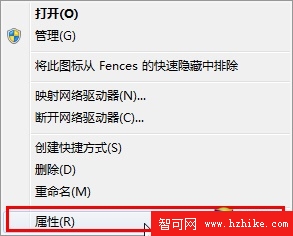
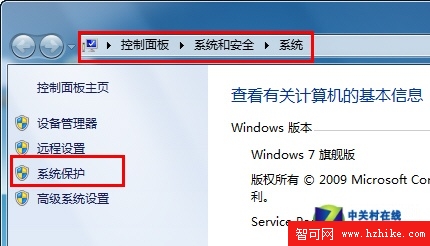
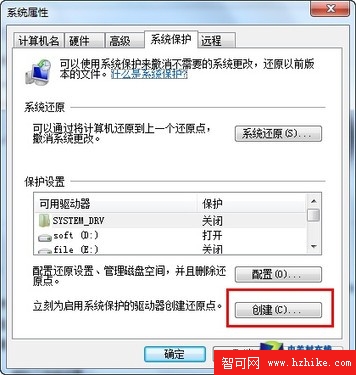
裝軟體導致系統故障,卸載也修不好?Win7 內建「系統保護」定期自動/手動建立還原點(含註冊表、個人化設定),還原到問題前狀態即可。
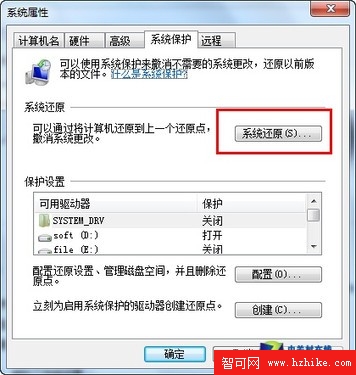
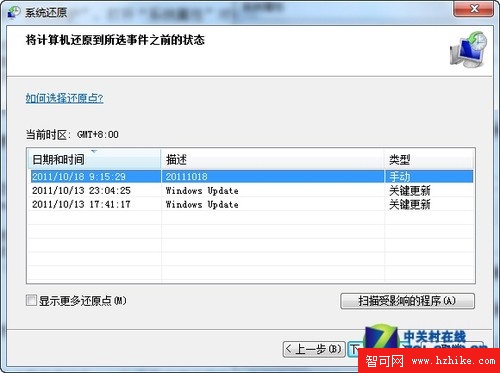
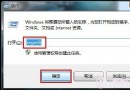
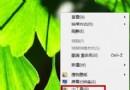
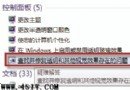
「系統屬性」→「系統還原」→ 選還原點 → 依提示操作。列表含手動點及 Windows Update/裝卸軟體/備份後自動建立的點。
注意:系統還原不備份個人檔案,無法找回已刪除檔案。
Windows 7 全方位安全防護實戰指南(三):防釣魚、增強外掛管理、防火牆與共享鎖定
Windows 7 玩網遊 Ping 高、延遲大?停用 MMCSS 服務立即改善
Windows 7 家用版無法安裝主題?升級旗艦版完整教學
Win7 畫圖工具進階用法:縮放、標尺網格、放大鏡、全螢幕檢視圖片
徹底清除 Windows 7 隱私紀錄:關閉開始選單與工作列最近開啟項目追蹤
Win7 開機不載入啟動項?三大案例剖析:權限、中毒、msconfig 失效全解決
Windows 7 放大鏡快捷鍵完全手冊(二):模式切換、移動、反色、停靠全掌握
Win 7 修補程式安裝失敗?六招徹底解決補丁卡關