Aero Snap:貼心但非人人需要
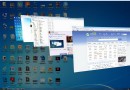
拖曳視窗至邊緣自動最大化/半螢幕,解決高解析度螢幕視窗管理難題。但部分用戶:
- 習慣手動控制視窗大小,誤觸靠邊干擾操作。
- 筆電/平板觸控板易誤觸發。
- 追求極致資源節省 (動畫/判定邏輯佔用微量 CPU/GPU)。
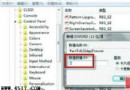
禁用路徑:輕鬆存取中心
- 控制台 → 輕鬆存取 → 輕鬆存取中心。
- 點擊「讓工作更容易受到關注」(Make it easier to focus on tasks)。
- 勾選 「防止視窗移至螢幕邊緣時自動排列」 (Prevent windows from being automatically arranged when moved to the edge of the screen)。
- 確定/套用,即時生效無需重啟。
效果與代價
- ✅ 視窗拖至邊緣不再自動最大化/半螢幕。
- ✅ 節省極微量系統資源。
- ❌ 失去鍵盤 Win+←/→/↑/↓ 快速佈局功能 (同屬 Aero Snap)。
- ❌ 失去滑鼠拖曳邊緣自動靠邊便利。
建議
若僅嫌誤觸,可調整滑鼠/觸控板靈敏度或習慣鍵盤 Win+方向鍵 精確控制。**鍵盤熱鍵與滑鼠觸發可獨立權衡**,完全禁用屬於「因噎廢食」,除非極度追求資源極致精簡。